Líderes
-
William Ferreira
ColaboradorPontos320Postagens -
-
Bruno Santana
ColaboradorPontos4812Postagens -

Claudio Neto
ColaboradorPontos918Postagens




Conteúdo Popular
Exibindo conteúdo com a maior reputação em 02/15/18 em todas áreas
-
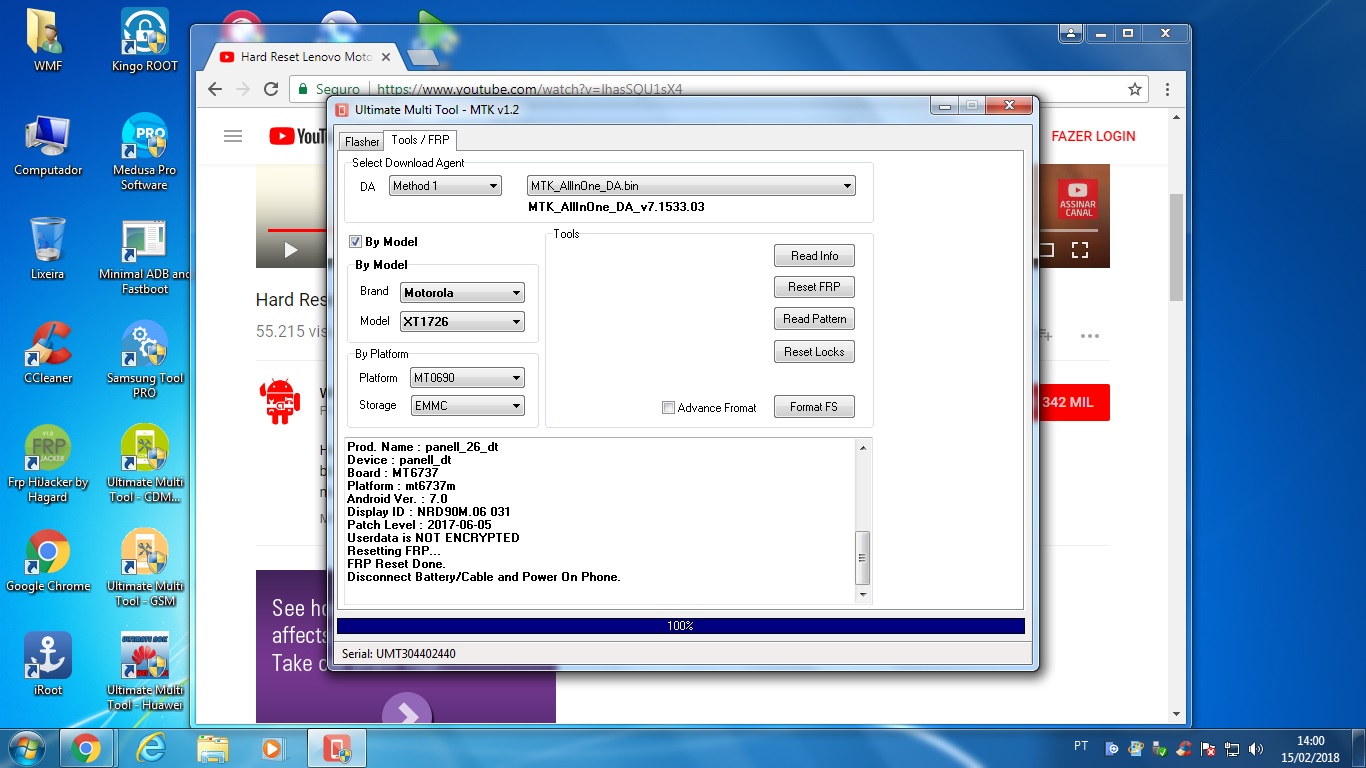
Procedimentos realizados com Sucesso com UMT !!!
Reginaldo almeida e um outro reagiu a nengo por uma resposta no tópico
2 pontosfrp moto c plus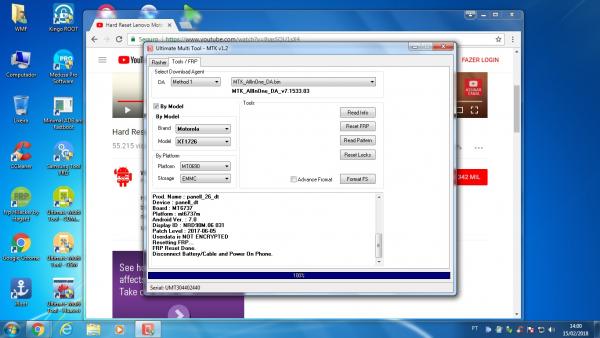 2 pontos
 -
[DICA] Significado Siglas ROM AP - CP - BL - CSC - MODEM
Eliél Mota e um outro reagiu a Claudio Neto por uma resposta no tópico
2 pontosBom Dia sempre tive essa dúvida e resolvi pesquisar. o que siginifica essas siglas das conhecidas rom particionadas da samsung, vim compartilhar do resultado da minha pesquisa. espero ajudar, informação nunca é pouca. BL (Bootloader): Como o próprio nome indica, esta opção é usada para "flashar" o Bootloader do dispositivo. AP representa a partição do sistema (possivelmente significa partição do Android); Em versões anteriores de Odin, isso foi chamado de "PDA" CP (Core Processor): Seu Modem. CSC significa (Consumer Software Customization), isso especifica os recursos que seu dispositivo Android obtém de acordo com sua localização geográfica e operadora PIT (Partition Information Table): Você só precisa disso se você estragar sua tabela de partição ou se o firmware especificamente exigir isso devido a uma alteração no layout da tabela de partição.2 pontos -
YZU DS53 – DL Conta Google
Reginaldo almeida reagiu a Bruno Santana por uma resposta no tópico
1 pontotente descobrir qual processador dele mtk - qualcomm quais ferramenta vc vai ter para etira a conta1 ponto -
erro medusa pro
Ivan kern nunes reagiu a Aldinei Jose por uma resposta no tópico
1 pontograto pelo retorno topico encerrado1 ponto -
Atualização Ultimate Multi Tool - UMT Box
AREATECNICACELULAR reagiu a Bruno Santana por uma resposta no tópico
1 pontoTemos o prazer de anunciar UMTv2 / UMTPro Inovador e Inteligente UltimateMTK v1.2 Suporte intermitente para seguir os chipsets MTK: - MT6571 - MT6572 - MT6573 - MT6574 - MT6575 - MT6577 - MT6580 - MT6582 - MT6589 - MT6592 - MT6595 - MT6735 - MT6737M - MT6752 - MT6753 - MT6755 - MT6795 - MT6797 - MT7623 - MT7683 - MT8127 - MT8135 - MT8163 - MT8173 - MT8590 Adicionado Suporte para as seguintes funções: - Leia a informação - Redefinir o FRP - Reset Locks (Todas as versões do Android, dados de usuário criptografados NÃO suportados) - Padrão de leitura (Android 5.x e anterior, dados de usuário criptografados NÃO suportados) - Formato FS - Formato FS (Avançado) Dispositivos suportados: Blu - Blu Studio C5 + 5 Gionee - P5 Mini Huawei - Honor U19 Intex - Aqua Air iTel - S21 Lava - A44 Lenovo - A328 - A319 MediaCom - PhonePad Duo Micromax - A089 - D321 - Q354 Motorola - XT1721 - XT1724 - XT1726 - XT1770 - XT1773 - XT1754 - XT1755 - XT1756 - XT1757 - XT1750 - XT1663 Oppo - Neo 5 Panasonic - Eluga I2 Activ QMobile - X11 - X100 - Z14 Smile - Z6 Symphony - P6 - i10 Xiaomi - Hongmi Redmi Rice - Redmi Note 3G Xion - XI-CEU4 Importante - As características apresentadas aqui também funcionarão em outros dispositivos, que não estão disponíveis aqui. - O usuário precisa desmarcar a caixa de seleção Modelo para poder selecionar a Plataforma manualmente. - Para o trabalho manual, basta selecionar o Método desejado (1 é para dispositivos mais antigos e 4 é mais recente) e DA. - As operações de descanso funcionarão o mesmo. Notas : - Alguns recursos são específicos do dispositivo / SO e podem não funcionar em todos os dispositivos. Começou... Continue seguindo-nos ... Algumas atualizações agradáveis estão a caminho ... AGRADECIMENTOS ESPECÍFICOS A NOSSOS USUÁRIOS VALIDOS POR SEUS AMORES E APOIO1 ponto -
erro medusa pro
Ivan kern nunes reagiu a andrecel por uma resposta no tópico
1 pontoBom dia! Com o apoio e dedicação do nobre amigo Bruno Santana consegui resolver mais essa ! Obrgado a todos que dedicaram um tempinho na ajuda aqui e marco esse topico como resolvido!1 ponto -
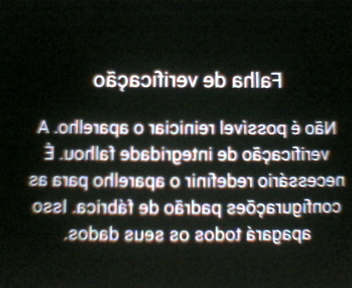
1 pontoDesculpe a imagem estar invertida, mas consegui tirar foto meu celular blincado depois de eu instalar a oficial J530G_TWRP_3.2.1.0.tar ao ligar o sistema apareceeu esta tela, so nao sei onde verificou pois eu havia, pela tela adb no computador digitado o comando para desbloquear booloader se tiver adb reboot-bootloader e apos o comando o celu reiniciou normal nao para a tela fast e sim um reboot normal e travou eu refiz com a rom original sammobile e voltou tudo ao normal, sem root ainda.
 1 ponto
 -
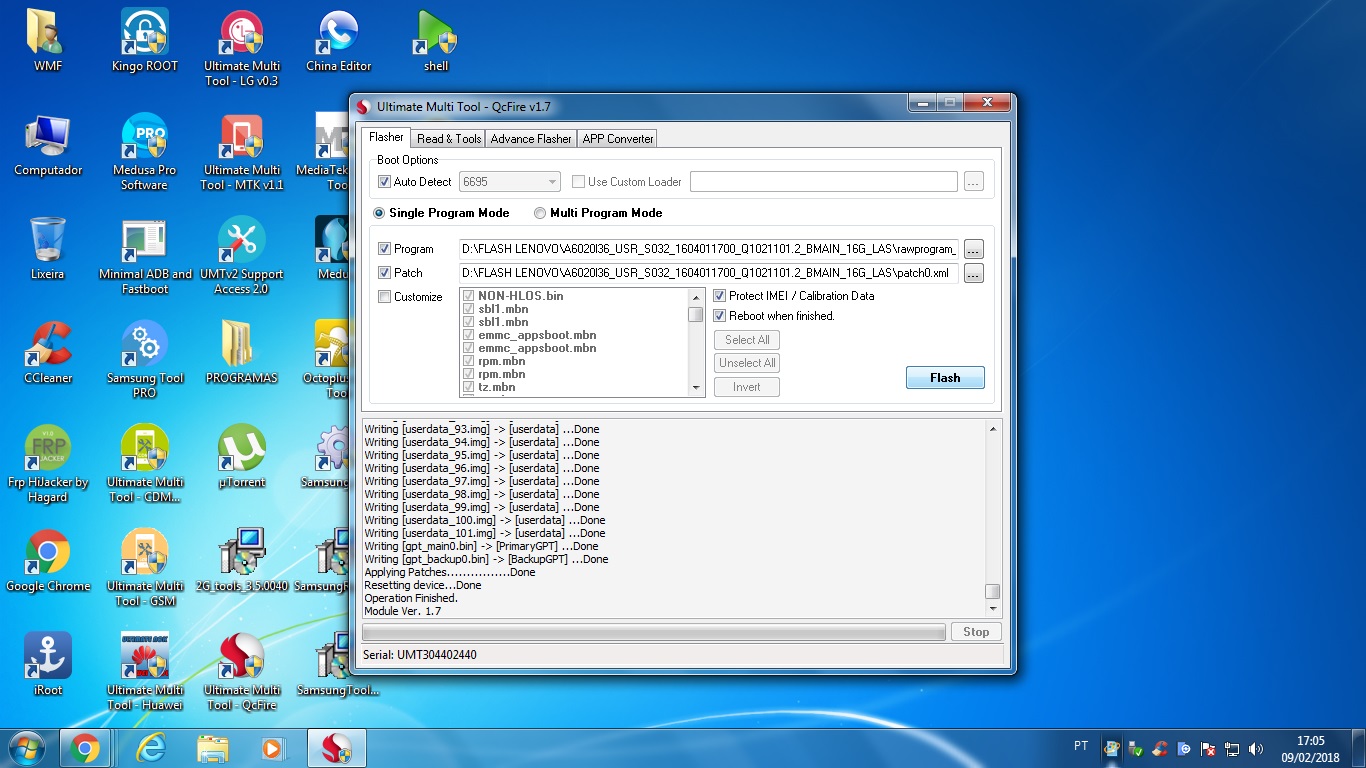
Procedimentos realizados com Sucesso com UMT !!!
Reginaldo almeida reagiu a nengo por uma resposta no tópico
1 pontoflash lenovo k5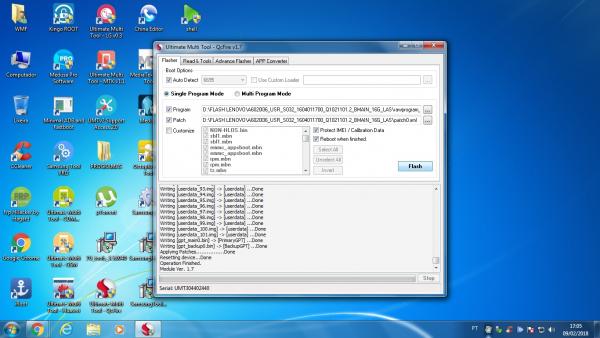 1 ponto
 -
Procedimentos realizados com Sucesso com UMT !!!
Reginaldo almeida reagiu a William Ferreira por uma resposta no tópico
1 pontoReset conta Mi redmi note 4 Operation : Reset Mi Account Checking for existing devices...Not Found Turn Off phone, hold Vol UP + Vol DOWN and insert USB cable. Some phones may need Special Boot Cable or TestPoint for EDL mode. Found Port : Qualcomm HS-USB QDLoader 9008 (COM77) Driver Info : Qualcomm Incorporated, qcusbser.sys, 2.1.2.2 Connecting to phone...OK Waiting for response...Ignored Init Handshake Sequence...OK Hardware ID : E1600400 [8953] 00000000 OPK_DATA : 079E496E26A477B120DFCD85DF7E4AD067164D8292DDD379930D5891E3D8240B Initializing Protocol...OK Using Auto Loader Selection [1] Preparing Firehose Loader...Done Sending Loader [8953.ufl]...Done Executing Loader...OK Detecting Chip Type...OK Hardware* : 8953, eMMC, 32 GB Warning! High Speed Driver is not installed. Please install driver from QcFire\Drivers folder using Device Manager. Payload Info : In: 65536 [4096], Out: 1048576, Sector Size: 512 Reading Partition Table...OK Reading Device Information...OK Device : Xiaomi Redmi Note 4 [msm8953] Software : AL1512-mido-build-20180112234639, V9.2.1.0.NCFMIEK [Fri Jan 12 23:46:37 WIB 2018] Android Ver. : 7.0 Resetting Mi Account Data...Done Preparing Data...Done Formatting Userdata...Done When phone is completely ON, connect to Internet and add Mi Account. Operation Finished. Module Ver. 1.71 ponto -
Procedimentos realizados com Sucesso com UMT !!!
Reginaldo almeida reagiu a William Ferreira por uma resposta no tópico
1 pontoReset FRP zd553kl Operation : Reset FRP Checking for existing devices...Not Found Turn Off phone, hold Vol UP + Vol DOWN and insert USB cable. Some phones may need Special Boot Cable or TestPoint for EDL mode. Found Port : Qualcomm HS-USB QDLoader 9008 (COM77) Driver Info : Qualcomm Incorporated, qcusbser.sys, 2.1.2.2 Connecting to phone...OK Waiting for response...OK Init Handshake Sequence...OK Hardware ID : E1F00400 [8937] 39A21620 OPK_DATA : FDB379775FEB07C551EFBC01F78CD6ABAC99A2829E6F63768E4491B32485B6E5 Initializing Protocol...OK Using Auto Loader Selection [1] Preparing Firehose Loader...Done Sending Loader [8937_015.ufl]...Done Executing Loader...OK Detecting Chip Type...OK Hardware* : 8937, eMMC, 64 GB Warning! High Speed Driver is not installed. Please install driver from QcFire\Drivers folder using Device Manager. Payload Info : In: 65536 [4096], Out: 1048576, Sector Size: 512 Reading Partition Table...OK Reading Device Information...OK Device : asus ASUS_X00LDA [msm8937] Software : NMF26F.WW_Phone-14.0400.1801.186-20171229, WW_Phone-14.0400.1801.186-20171229 [Fri Dec 29 18:16:44 CST 2017] Android Ver. : 7.1.1 Resetting FRP Lock......Done Operation Finished. Module Ver. 1.71 ponto -
erro medusa pro
Ivan kern nunes reagiu a Bruno Santana por uma resposta no tópico
1 pontotente abrir como adm tente compatibilidade de windows tente baixa a programa anterior boa sorte1 ponto -
Procedimentos realizados com Sucesso com UMT !!!
André Tech reagiu a William Ferreira por uma resposta no tópico
1 pontoReset conta MI MIX Operation : Reset Mi Account Checking for existing devices...Not Found Turn Off phone, hold Vol UP + Vol DOWN and insert USB cable. Some phones may need Special Boot Cable or TestPoint for EDL mode. Found Port : Qualcomm HS-USB QDLoader 9008 (COM77) Driver Info : Qualcomm Incorporated, qcusbser.sys, 2.1.2.2 Connecting to phone...OK Waiting for response...OK Init Handshake Sequence...OK Hardware ID : E1F00500 [8996] 00000000 OPK_DATA : 65D680382C4E0091ED2A1DDCD7EFD99ED328BEBDAD748E5CE177EC5AB6544AE5 Initializing Protocol...OK Using Auto Loader Selection [1] Preparing Firehose Loader...Done Sending Loader [8996_004.ufl]...Done Executing Loader...OK Detecting Chip Type...OK Hardware : MSM8996, UFS, Unknown Warning! High Speed Driver is not installed. Please install driver from QcFire\Drivers folder using Device Manager. Payload Info : In: 65536 [4096], Out: 131072, Sector Size: 4096 Reading Partition Table...OK Reading Device Information...OK Device : Xiaomi MIX [msm8996] Software : NRD90M, V9.1.1.0.NAHMIEI [Mon Nov 6 22:31:48 CST 2017] Android Ver. : 7.0 Resetting Mi Account Data...Done Preparing Data...Done1 ponto -
Moto G3 liga sozinho ao conectar Bateria
FabianoSJRP reagiu a ToninhoSantos por uma resposta no tópico
1 pontoEsse defeito e recorrente neste aparelho e tambem no moto g1, a soluçao consiste em remover os capacitores em volta da tecla power.. Remove o primero proximo a ele, e caso não resolver, troque o segundo. Simples assim.1 ponto -
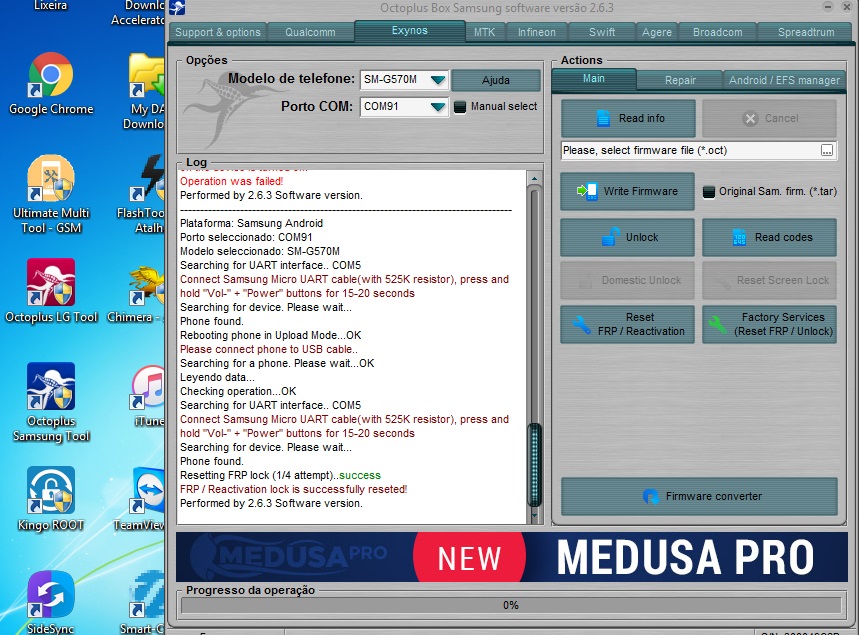
Procedimentos realizados com sucesso via Octopus/Octoplus box
Bruno Santana reagiu a Ralyson Christian por uma resposta no tópico
1 pontoFrp no Samsung G570M feito com sucesso pelo cabo Uart 532k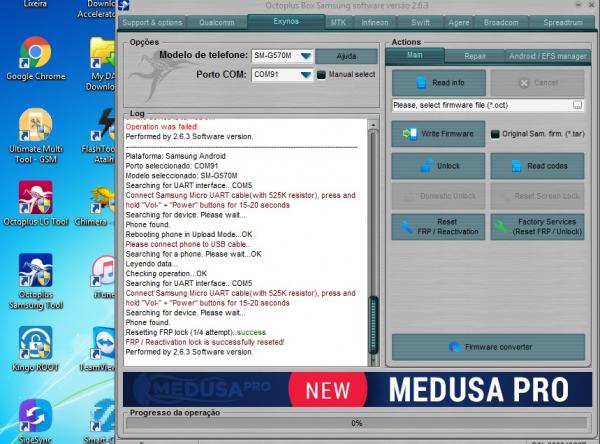 1 ponto
 -
Carregamento em pausa. Temperatura da bateria muito baixa.
cristian-teles reagiu a MBtec por uma resposta no tópico
1 pontoLembrando que não tem oxidação, ja troquei 2 vzs o conector de carga, e fiz uma leve ressolda na parte inferior da placa.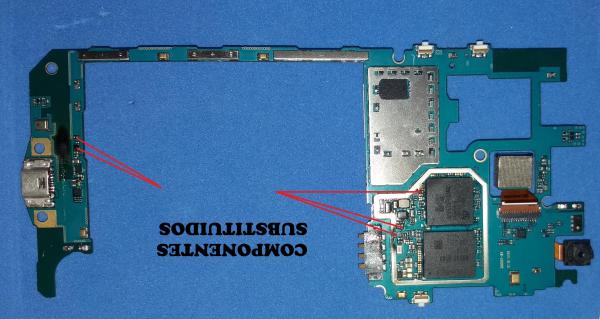 1 ponto
 -
moto g4 xt1640 sem audio
hewerardo reagiu a leandro renon por uma resposta no tópico
1 pontoola pessoal no meu deu 100% esse procedimento .obrigado1 ponto -
Guia de Reparo Motorola
ComputerCell@ reagiu a MicroSoldagem por uma resposta no tópico
1 pontoMoto X Play reconhece o carregador e não carrega. Fazer o jumper marcado em vermelho.1 ponto -
Guia de Reparo Motorola
jefferson4201 reagiu a Anderson Alves por uma resposta no tópico
1 pontoMoto G4. Possíveis solução Carga !! Caminhos trilhas1 ponto -
Guia de Reparo para Sony Ericsson
Afonso Lopes reagiu a Ivan kern nunes por uma resposta no tópico
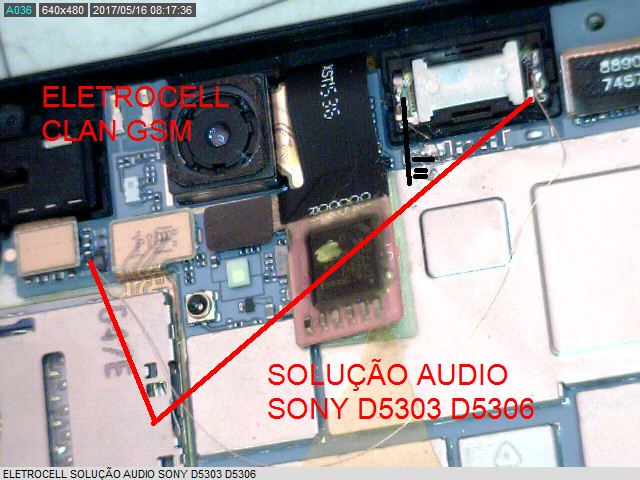
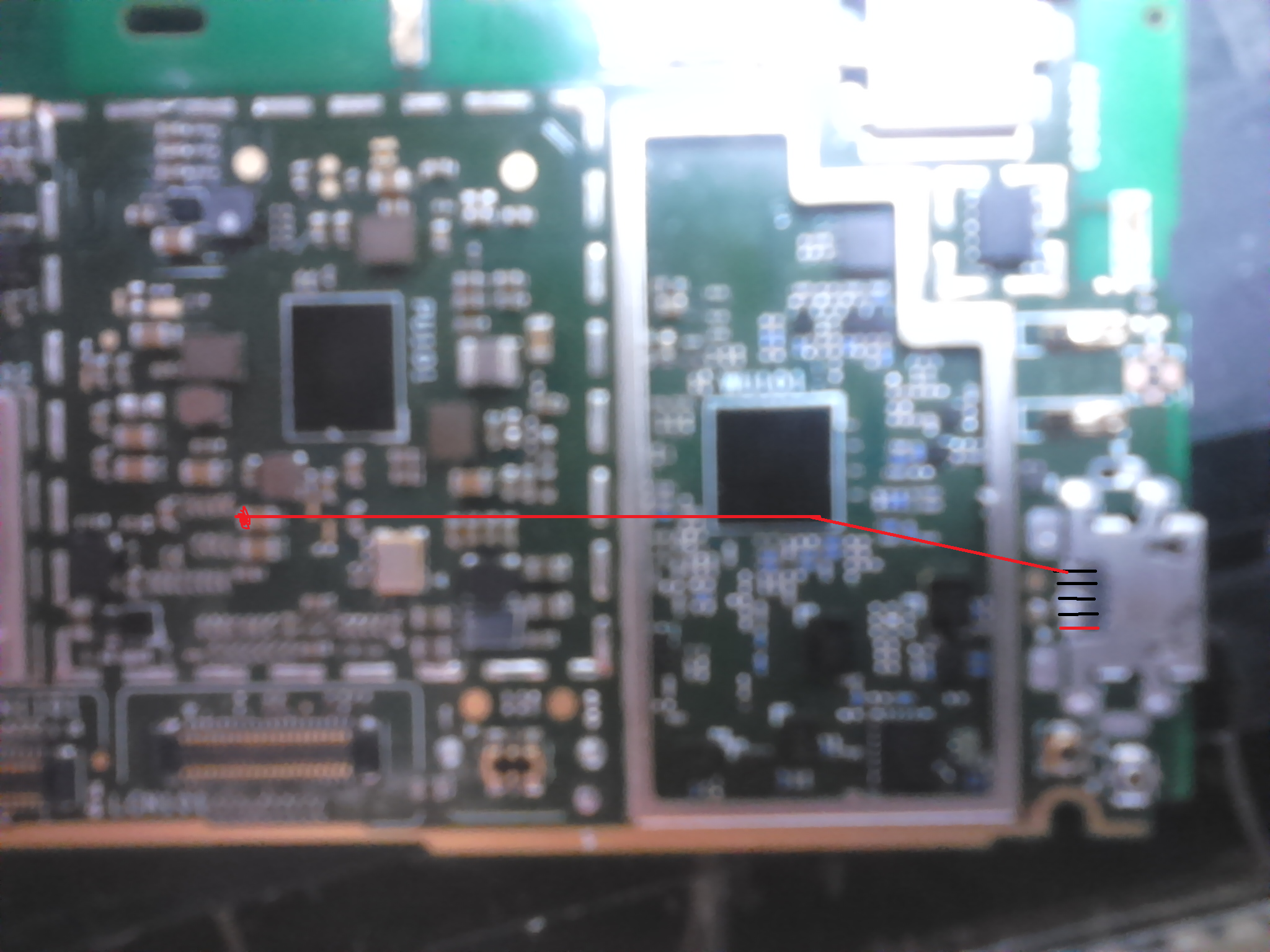
1 pontosolução audio sony T2 ultra D5322 - D5303 - D5306 efetuado e testado por mim, áudio fica 100% e sem distorção :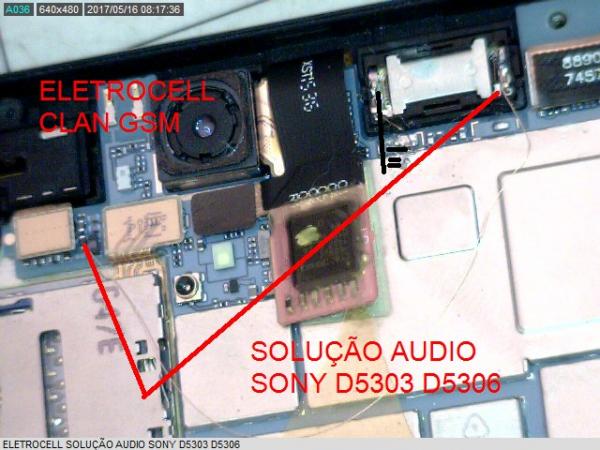 1 ponto
 -
Guia de hardware iphone
Fernando Dutra reagiu a Anderson Vieira por uma resposta no tópico
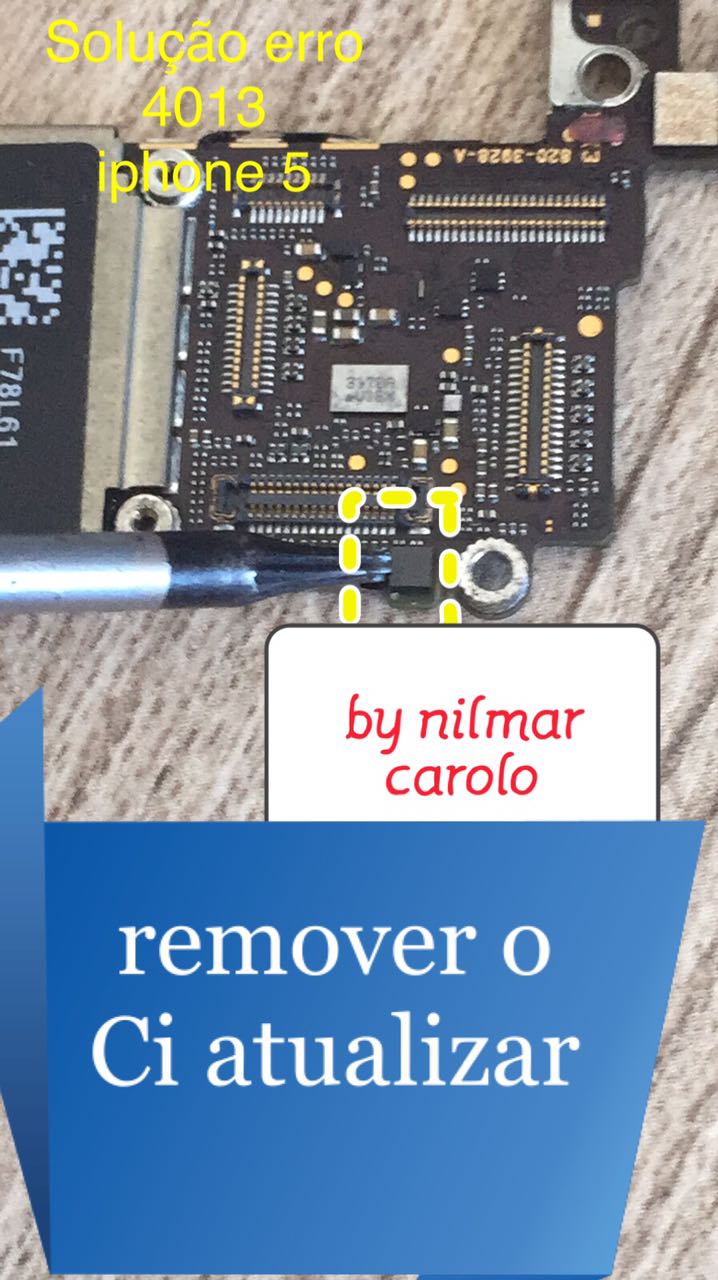
1 pontoPossivel solução erro 4013 iphone 5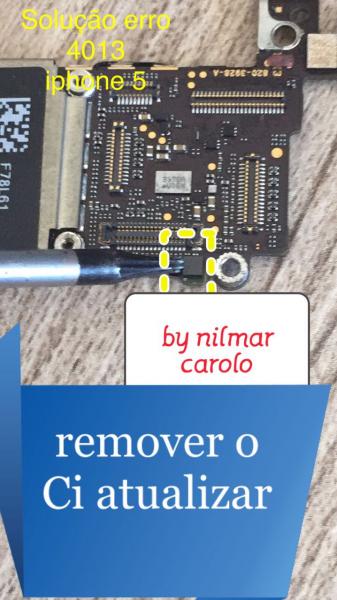 1 ponto
 -
ai galera solução... é assim que se posta solução 100% testada e aprovada... curte ai...
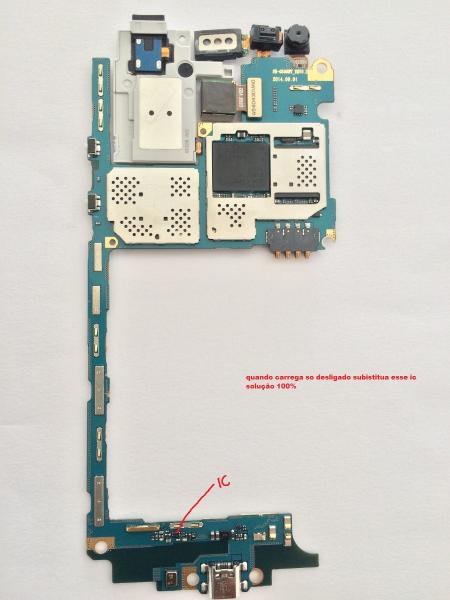 1 ponto
 -
Guia de Reparo para Sony Ericsson
Afonso Lopes reagiu a Wallace Joilson por uma resposta no tópico
1 pontosony t3 nao carrega (procedimento)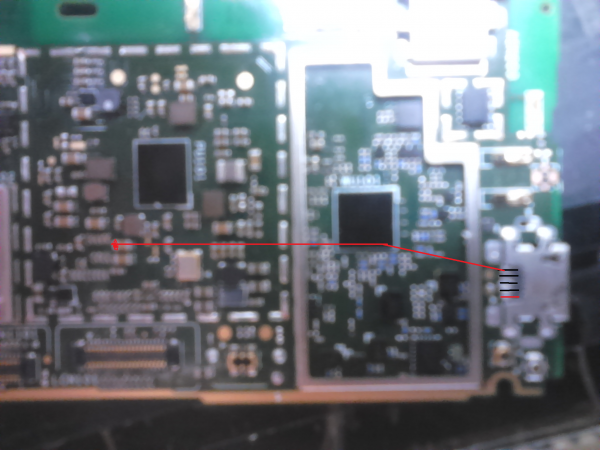 1 ponto
 -
MOTO G2 AUTOFALANTE COM RUÍDO SOM
mailson cell reagiu a DanielCostadcoj por uma resposta no tópico
1 pontoResolvido, agradeço pela ajuda!1 ponto -
Moto G3 Não Da imagem Após Troca do LCD
PH InfoCell reagiu a Marcelo Sousa por uma resposta no tópico
1 pontomeu amigo seu caso é o mesmo dos outros o que muda é apenas a forma de cada técnico expressa o defeito do aparelho, veja bem estamos cansado de ver reclamações sobre apos a troca do lcd do moto g3, o mesmo apagou liga e fica sem imagem no caso os led não funciona e o lcd fica apagado, isso acontece muitas vezes devido a lcd cópia aqui eu já fiz a troca de mais de 20 lcd moto g3 e não tive problema com nenhum pois pago valor alto pela peça mais evito danos ao aparelhos. á unica forma de você tenta resolve este problema é fazendo a troca do diodo, aqui se fala que na placa do moto E2 tem este diodo e é o que melhor funciona no moto g3. http://www.clangsm.com.br/topic/106222-tela-do-moto-g3-escura/?do=findComment&comment=3667871 ponto -
Moto G XT1033 Carga lenta
deiwslima reagiu a LéoCipriano por uma resposta no tópico
1 pontoObrigado amigo, vou fazer aqui agora e postar o resultado!1 ponto -
Moto G XT1033 Carga lenta
vande1985 reagiu a gleysinho cell por uma resposta no tópico
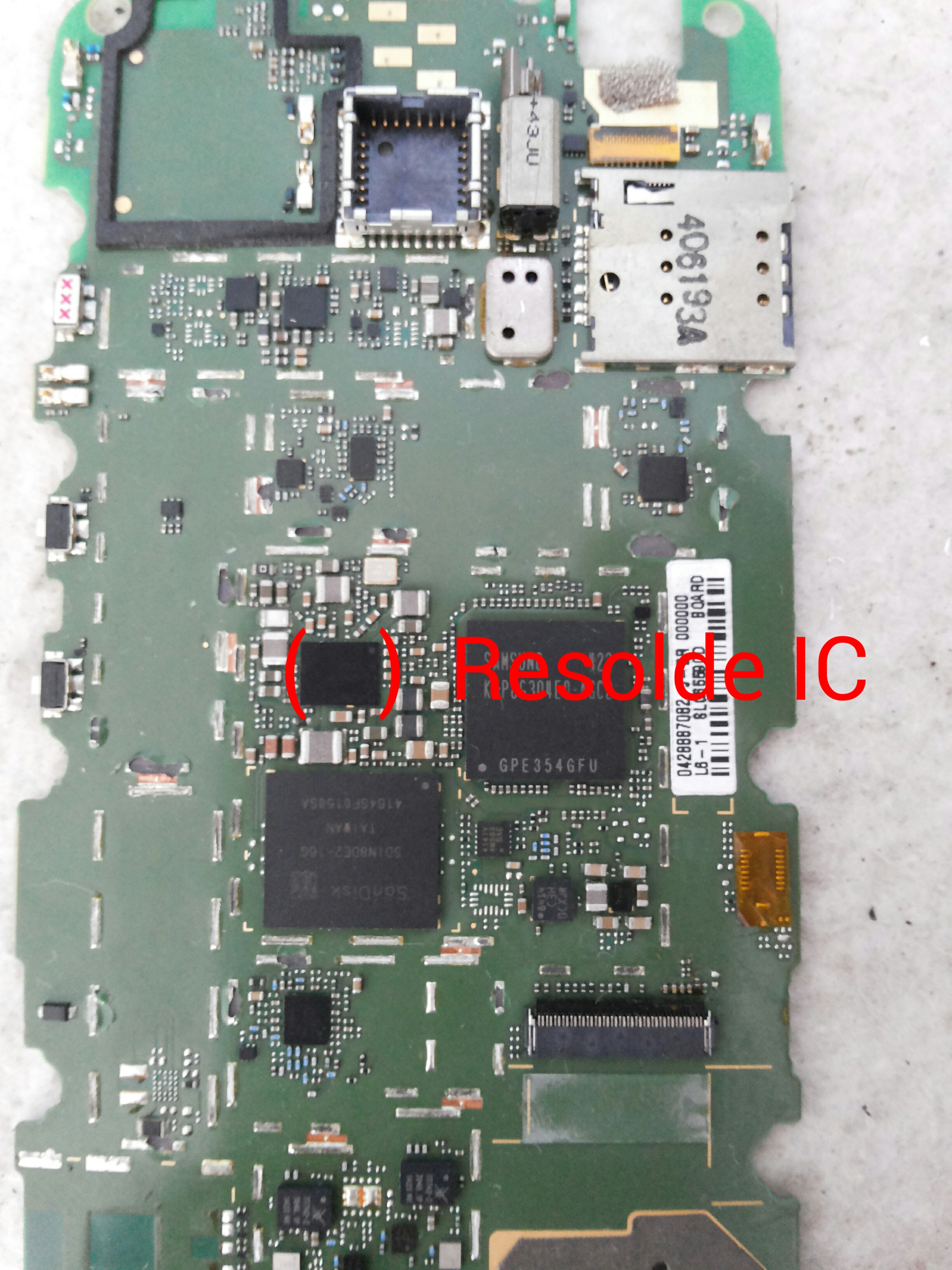
1 pontopeguei um com mesmo problema resolvi ressoldando esse ci espero que resolva de mas alguém.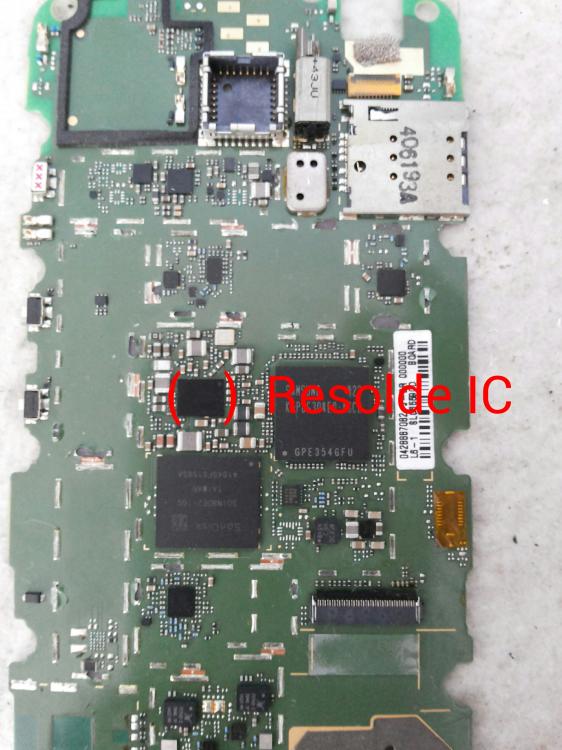 1 ponto
 -
Remover conta FRP S8 e S8+ SM-G950F/ SM-G955F
joão tenorio reagiu a Marcello Barbosa por uma resposta no tópico
0 pontosOlá, gostaria de saber se esses arquivos podem ser rodados em um G950FD, sem risco de "morte". Desde já, obrigado a todos!0 pontos