

William Ferreira
-
Registro em
-
Última visita
Posts postados por William Ferreira
-
-
Melhor investimento no nosso segmento é em box-dongle
Não é mais preciso de login,fiz o note 5 normal por edl e ontem mesmo fiz um note 4 ,já existe suporte para outros modelos rodando miui 9 e android 8.1.0
-
Reset Conta Mi Note 5 android 8.1.0 (finalmente!)
Operation : Reset Mi Account
Checking for existing devices...Not Found
Turn Off phone, hold Vol UP + Vol DOWN and insert USB cable.
Some phones may need Special Boot Cable or TestPoint for EDL mode.
Found Port : Qualcomm HS-USB QDLoader 9008 (COM20)
Driver Info : Qualcomm Incorporated, qcusbser.sys, 2.1.0.5
Connecting to phone...OK
Waiting for response...OK
Init Handshake Sequence...OK
Hardware ID : E1C00C00 [8996] 00000000
OPK_DATA : F7337FE47B192EF4D1BA34CB4E879F0C6B771D06D2DE87BF21F65BA3303834E1
Initializing Protocol...OK
Sending Loader [prog_emmc_firehose_Sdm660_ddr.elf]...Done
Executing Loader...OK
Detecting Chip Type...OK
Hardware : MSM8996, eMMC, 64 GB
LU Count : 1 [0x0747C000]
WARNING! High Speed Driver is not installed.
Please install driver from QcFire\Drivers folder using Device Manager.
Payload Info : In: 65536 [4096], Out: 131072, Sector Size: 512
Reading Partition Table...OK
Reading Device Information...OK
Device : Xiaomi Redmi Note 5
Software : OPM1.171019.011, V9.5.19.0.OEIMIFA [Fri Jul 6 19:09:51 WIB 2018]
Android Ver. : 8.1.0
Patch Level : 2018-06-01
Resetting Mi Account Data...Done
Preparing Data...Done
Formatting Userdata...Done
When phone is completely ON, connect to Internet and add Mi Account.
-------------- INFORMATION --------------
New Firmware may cause hang on logo.
In such case, you need to flash phone to recover.
Or downgrade firmware and try Reset Mi Account again.
Operation Finished.
Module Ver. 2.6- Reginaldo almeida reagiu a isso
-
 1
1
-
Reparo boot XT1640 100% done
Model : XT1643
Operation : Boot Repair
Checking for existing devices...Found
Port : Qualcomm HS-USB QSC Diagnostics 9065 (COM77)
Driver Info : Qualcomm Incorporated, qcusbser.sys, 2.1.2.2
Opening Port...OK
Init Handshake Sequence...OK
Hardware ID : E1209700 [8952] 00002803
OPK_DATA : 617E50AB1CB133CC88721091CD79DBC95BF9A3B84FA9489DA856F25CAD8A384B
Initializing Protocol...OK
Sending Loader...Done
Executing Loader...OK
CPU Version : 1.1
Secure : Yes
Chipset : 8952
Chip Type : eMMC
Protocol : 1
Payload : 4096/1048576
Sectors : 61071360
Sector Size : 512
Reading Partition Table...OK
Writing Data [aboot]...Done
Writing Data [rpm]...Done
Writing Data [tz]...Done
Writing Data [hyp]...Done
Writing Data [cmnlib]...Done
Writing Data [keymaster]...Done
Writing Data [sbl1]...Done
Rebooting device to Fastboot...Done
Please use UMT GSM Module to flash latest firmware now.
Operation Finished.
Module Ver. 2.6- Bruno Santana reagiu a isso
-
1
-
Reset FRP Moto C XT1558
Brand : Motorola
Model : XT1757
Operation : Reset FRP
Waiting for Phone in BROM Mode...
Connect Power Off phone within 30 secs...
Port : MediaTek PreLoader USB VCOM (Android) (COM123)
Connected to BROM.
Sending Download Agent...
connect DA end stage: 2, enable DRAM in 1st DA: 0
Connected to Download Agent..
Driver: MediaTek Inc., usb2ser.sys, 3.0.1504.0
Syncing with Target...
Reading Partition Table...
Reading Device Information...
Brand : motorola
Manufacturer : motorola
Model : Moto C
Prod. Name : namath_58
Device : namath
Platform : mt6737m
Android Ver. : 7.0
Display ID : NRD90M.010
Patch Level : 2017-07-05
Userdata is NOT ENCRYPTED
Resetting FRP...
FRP Reset Done.
Disconnect Battery/Cable and Power On Phone.
[Ver. 1.5]
- Reginaldo almeida reagiu a isso
-
1
-
Reset FRP MS55M
Operation : Reset FRP
CPU : MT6580
Storage : EMMC
DA : DA_SWSEC_6580_98737_71604.bin [MTK_AllInOne_DA_v3.3001.00.00]
Waiting for Phone in BROM Mode...
Connect Power Off phone within 30 secs...
Port : MediaTek PreLoader USB VCOM (Android) (COM123)
Connected to BROM.
Sending Download Agent...
connect DA end stage: 2, enable DRAM in 1st DA: 0
Connected to Download Agent..
Driver: MediaTek Inc., usb2ser.sys, 3.0.1504.0
Syncing with Target...
Reading Partition Table...
Reading Device Information...
Brand : Multilaser
Manufacturer : Multilaser
Model : MS55M
Prod. Name : MS55M
Device : MS55M
Board : MS55M
Platform : mt6580
Android Ver. : 7.0
Display ID : MS55M.V11_20171019
Patch Level : 2017-06-05
Userdata is NOT ENCRYPTED
Resetting FRP...
FRP Reset Done.
Disconnect Battery/Cable and Power On Phone.
[Ver. 1.5]
- Reginaldo almeida, Clicerio Domingos e Wellington Maciel™ reagiu a isso
-
3
-
-
- Rafael Tavares reagiu a isso
-
1
-
-
-
Reset FRP Xiaomi Mi A1 Android 8.0
Operation : Reset FRP
Checking for existing devices...Not Found
Turn Off phone, hold Vol UP + Vol DOWN and insert USB cable.
Some phones may need Special Boot Cable or TestPoint for EDL mode.
Found Port : Qualcomm HS-USB QDLoader 9008 (COM77)
Driver Info : Qualcomm Incorporated, qcusbser.sys, 2.1.2.2
Connecting to phone...OK
Waiting for response...Ignored
Init Handshake Sequence...OK
Hardware ID : E1600400 [8953] 00000000
OPK_DATA : 079E496E26A477B120DFCD85DF7E4AD067164D8292DDD379930D5891E3D8240B
Initializing Protocol...OK
Using Auto Loader Selection [1]
Preparing Firehose Loader...Done
Sending Loader [8953.ufl]...Done
Executing Loader...OK
Detecting Chip Type...OK
Hardware : 8953, eMMC, 64 GB
LU Count : 1 [0x0747C000]
WARNING! High Speed Driver is not installed.
Please install driver from QcFire\Drivers folder using Device Manager.
Payload Info : In: 65536 [4096], Out: 1048576, Sector Size: 512
Reading Partition Table...OK
Reading Device Information...OK
Device : Xiaomi Mi A1 [msm8953]
Software : OPR1.170623.026.V9.5.11.0.ODHMIFA, V9.5.11.0.ODHMIFA [Fri May 4 18:00:46 WIB 2018]
Android Ver. : 8.0.0
Patch Level : 2018-05-05
Resetting FRP Lock......Done
Operation Finished.
Module Ver. 2.6- Reginaldo almeida reagiu a isso
-
1
-
Em 02/08/2018 em 15:56, Clicerio Domingos disse:
Boa tarde. Meu amigo tem como o senhor me dizer como gerou essa port de comunicação? (ou seja, em qual modo ele ficou - Factory mode, fastboot, bp tool).
Só conectar em modo factory amigo e fazer o mesmo procedimento do print.
- Clicerio Domingos reagiu a isso
-
1
-
Reset FRP HOMTOM S9 Plus
Operation : Reset FRP
CPU : MT6750T
Storage : EMMC
DA : DA_PL.bin [MTK_AllInOne_DA_v3.3001.00.00]
Waiting for Phone in BROM Mode...
Connect Power Off phone within 30 secs...
Port : MediaTek PreLoader USB VCOM (Android) (COM49)
Connected to BROM.
Sending Download Agent...
connect DA end stage: 2, enable DRAM in 1st DA: 0
Connected to Download Agent..
Driver: MediaTek Inc., usb2ser.sys, 3.0.1504.0
Syncing with Target...
Reading Partition Table...
Reading Device Information...
Brand : HOMTOM
Manufacturer : HOMTOM
Model : S9 Plus
Prod. Name : S9 Plus
Device : S9 Plus
Board : S9 Plus
Platform : mt6750
Android Ver. : 7.0
Display ID : HOMTOM_S9_Plus_V01_20171028
Patch Level : 2017-07-05
Userdata is ENCRYPTED
Resetting FRP...
FRP Reset Done.
Disconnect Battery/Cable and Power On Phone.
[Ver. 1.5]
- Bruno Santana e Reginaldo almeida reagiu a isso
-
2
-
Resolvi um s9 com esse tutorial disponivel no clansoft https://www.clansoft.net/dl/index.php?a=downloads&b=file&id=3687
-
Reset FRP Mi Max 2
Operation : Reset FRP
Checking for existing devices...Not Found
Turn Off phone, hold Vol UP + Vol DOWN and insert USB cable.
Some phones may need Special Boot Cable or TestPoint for EDL mode.
Found Port : Qualcomm HS-USB QDLoader 9008 (COM77)
Driver Info : Qualcomm Incorporated, qcusbser.sys, 2.1.2.2
Connecting to phone...OK
Waiting for response...Ignored
Init Handshake Sequence...OK
Hardware ID : E1600400 [8953] 00000000
OPK_DATA : 079E496E26A477B120DFCD85DF7E4AD067164D8292DDD379930D5891E3D8240B
Initializing Protocol...OK
Using Auto Loader Selection [1]
Preparing Firehose Loader...Done
Sending Loader [8953.ufl]...Done
Executing Loader...OK
Detecting Chip Type...OK
Hardware : 8953, eMMC, 64 GB
LU Count : 1 [0x0747C000]
WARNING! High Speed Driver is not installed.
Please install driver from QcFire\Drivers folder using Device Manager.
Payload Info : In: 65536 [4096], Out: 1048576, Sector Size: 512
Reading Partition Table...OK
Reading Device Information...OK
Device : Xiaomi MI MAX 2 [msm8953]
Software : NMF26F, V9.5.5.0.NDDMIFA [Thu May 24 22:58:04 CST 2018]
Android Ver. : 7.1.1
Patch Level : 2018-05-01
Resetting FRP Lock.......Done
Operation Finished.
Module Ver. 2.3 -
Postado ·
Editado por William Ferreira
FRP Moto X4 XT1900-6
Port : Fastboot Inteface
Baud Rate : Not Applicable
Device : Motorola
Operation : New FRP Reset
Searching for Device in FastBoot Mode... OK
Reading Phone Information...
Model : XT1900-6
Boot Ver. : MBM-3.0-uefi-641a15b-180131
Baseband : M660_7036.16.01.69R PAYTON_LATAMDSDS_CUST
Software : Blur_Version.27.241.9.payton.retail.en.US
IMEI : 12346789
CPU : SDM630 1.0 (6)
RAM : 3GB SAMSUNG LP4x DIE=12Gb M5=01 M6=06 M7=00 M8=0E
EMMC : 32GB SAMSUNG DD68MB RV=08 PV=02 FV=0000000000000002
Setting Factory Mode... OK
Searching Network Interface... Found
Connecting to device... OK
Model : moto x4
Bootloader : MBM-3.0-uefi-641a15b-180131
Baseband : M660_7036.16.01.69R PAYTON_LATAMDSDS_CUST
Build : Blur_Version.27.241.9.payton.retail.en.US
Android : 8.0.0
Searching Network Interface... Found
Connecting to device... OK
Model : moto x4
Bootloader : MBM-3.0-uefi-641a15b-180131
Baseband : M660_7036.16.01.69R PAYTON_LATAMDSDS_CUST
Build : Blur_Version.27.241.9.payton.retail.en.US
Android : 8.0.0
Operation Finished.
Elapsed Time: 02:28
[Module Ver. 5.0]- Reginaldo almeida reagiu a isso
-
1
-
Reset FRP ZE554KL usando modelo Z012DC
Port : Fastboot Interface
Baud Rate : Not Applicable
Device : ASUS Z012DC
Operation : FRP Reset
Searching for Device in FastBoot Mode... OK
Reading Information... OK
FastBoot Ver. : GetVar Variable Not found
Product : QC_Reference_Phone
Bootloader : Locked
Enabling ADB... OK
Searching for Device... Found
Model : ASUS_Z01KD
Version : 7.1.1
Hardware : qcom
Baseband : M3.7.37.1-Titan_004501
CPU : arm64-v8a
SIM Card : ABSENT,ABSENT
Type : Unknown
MEID(1) : Null/Empty
Resetting FRP Lock... OK
Now Goto Menu > Settings > Backup and Reset > Factory data reset.
Operation Finished.
Elapsed Time: 00:50
[Module Ver. 4.9.1]
Log Saved to Logs\180526_153856.log- Bruno Santana, Reginaldo almeida e Wellington Maciel™ reagiu a isso
-
3
-
Luan passe essa que não vai dar erro de bin
https://www.clansoft.net/dl/index.php?a=downloads&b=file&id=3054
-
-
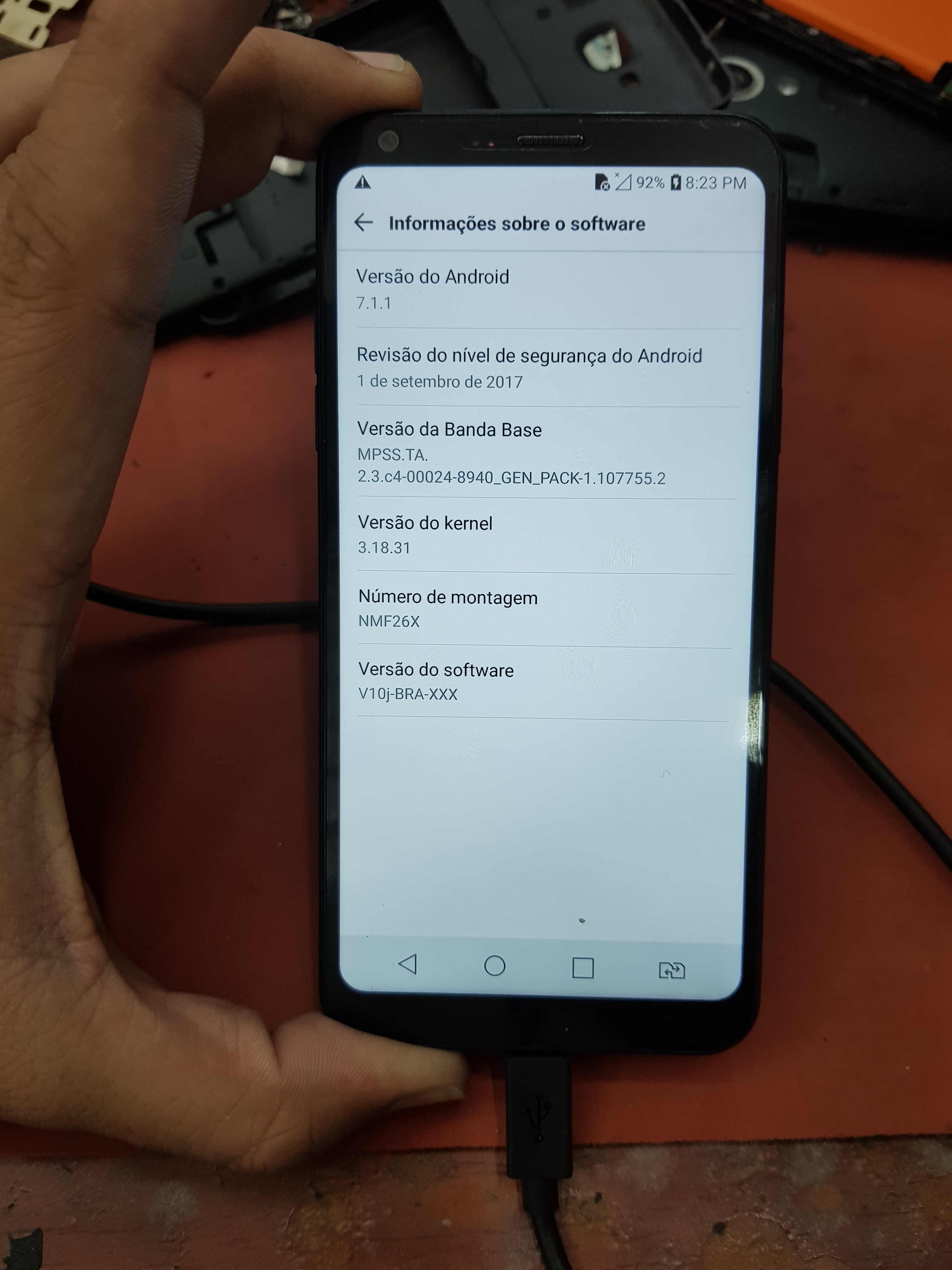
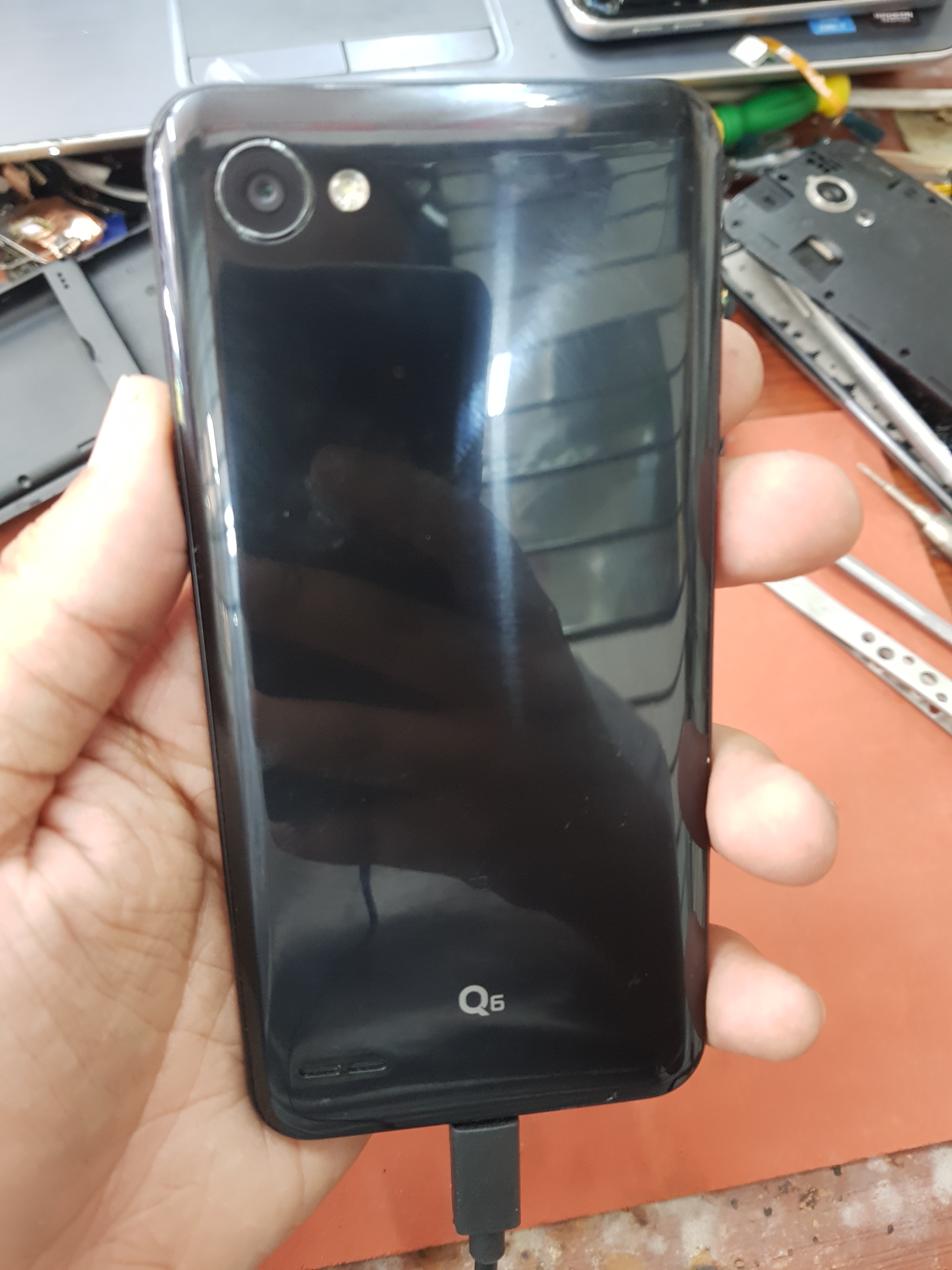
Devanir você quem esta se enganando,sabemos bem a diferença entre um G6 e um Q6,acabo de fazer um LG M700tv Q6 seguindo o tutorial postado no clansoft.
- Reginaldo almeida reagiu a isso
-
1
-
- Reginaldo almeida reagiu a isso
-
1
-
- Reginaldo almeida reagiu a isso
-
1
-
Reset FRP asus ze554kl Z01KD usando modelo Z012DC 100% testado.
Port : Fastboot Interface
Baud Rate : Not Applicable
Device : ASUS Z012DC
Operation : FRP Reset
Searching for Device in FastBoot Mode... OK
Reading Information... OK
FastBoot Ver. : GetVar Variable Not found
Product : QC_Reference_Phone
Bootloader : Locked
Enabling ADB... OK
Searching for Device... Found
Model : ASUS_Z01KD
Version : 7.1.1
Hardware : qcom
Baseband : M3.7.41.5-Titan_004501
CPU : arm64-v8a
SIM Card : READY,ABSENT
Type : Unknown
MEID(1) : Null/Empty
Resetting FRP Lock... OK
Now Goto Menu > Settings > Backup and Reset > Factory data reset.
Operation Finished.
Elapsed Time: 00:55
[Module Ver. 4.8]- Bruno Santana reagiu a isso
-
1
-
Reset FRP g531h não suportado na octopus
Device: Samsung Device
Operation: Reset FRP (New Method)
Port: COM7 : SAMSUNG Mobile USB Modem #2
Checking for Device... Found [Download Mode]
Reading Data from Phone... Done
Chipset: SPRD8735 [HiSpeed]
Resetting FRP Lock Data... . Done
Closing Session... Done
---------------- IMPORTANT ----------------
Wait for phone to reboot and turn on fully or TURN ON manually.
Once Phone is completely ON, wait a few minutes and then.
goto Menu > Settings > Backup and Reset and do Factory data Reset.
Elapsed Time: 00:14
[Ultimate Samsung Flasher v1.3] -
Pedindo licença ao amigo anderson,sartel,se não me engano nesse modelo seu é necessario fazer o root e ativar o diag via codigo
Da uma olha aqui
- Anderson Vieira e Reginaldo almeida reagiu a isso
-
2
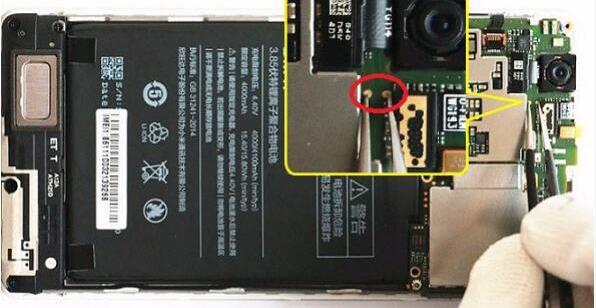
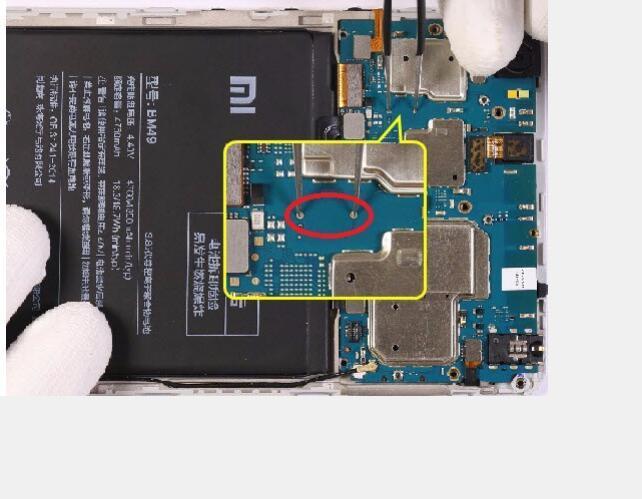

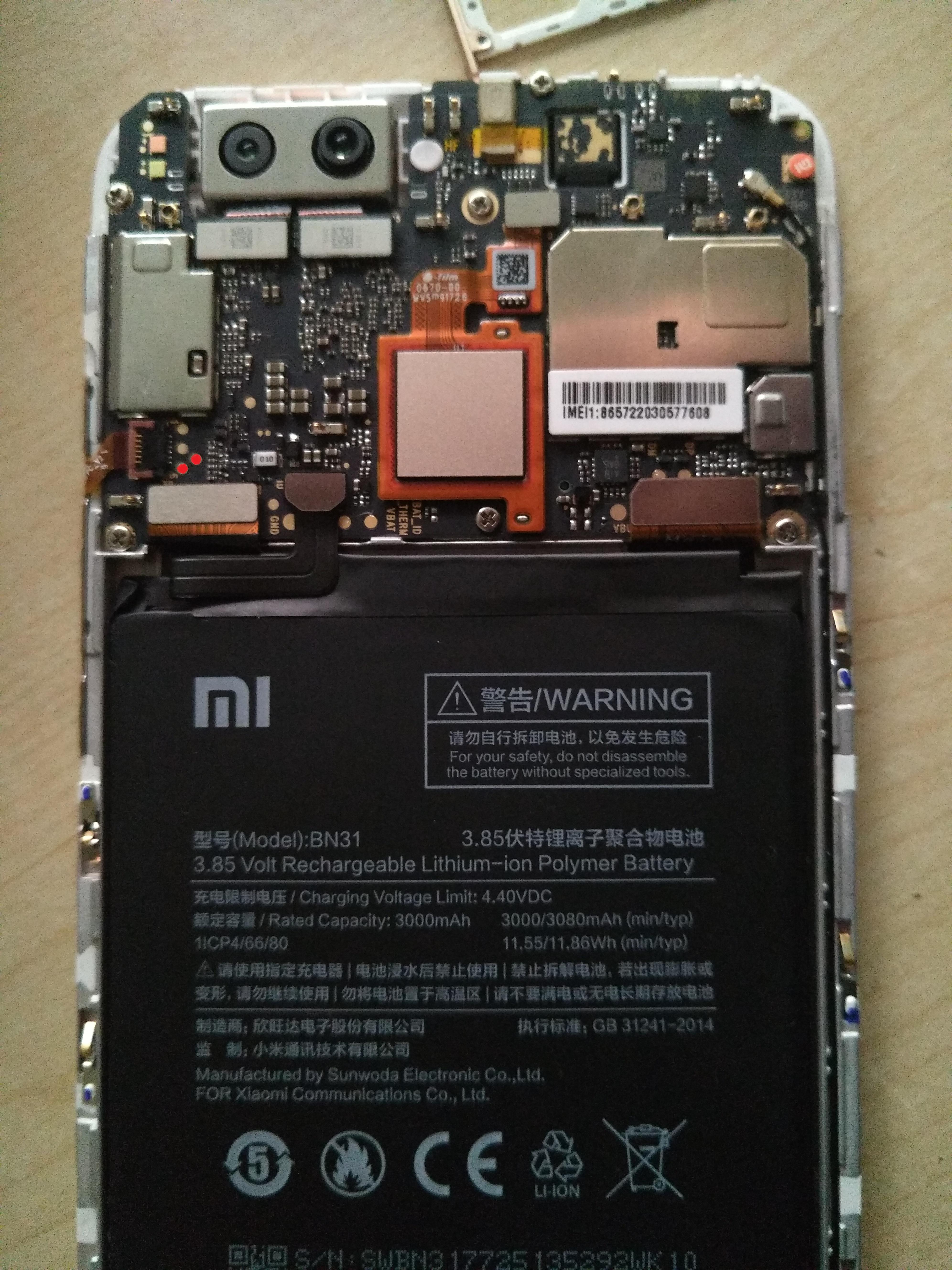
Redmi Note 4 bloqueado
em SOFTWARE E DESBLOQUEIOS
Postado
Daniel,eu pesquiso bem antes de falar,essa atualização já é antiga,a 2.8 beta já esta fazendo normal os aparelho,aguarde o lançamento publico da atualização ou consiga um loader pra o seu modelo em especifico.