

ivotec
-
Registro em
-
Última visita
Posts postados por ivotec
-
-
Em 10/03/2021 em 14:47, diegosfoss disse:
Redmi Note 7 Pro alguem tem mi cloud note 7 pro bootloader na umt.?
Nao entendi amigo coloca o texto de forma mais explicativa...
-
1 hora atrás, Neto Penques disse:
to na duvida agora os 2 modelos citados são bem parecidos
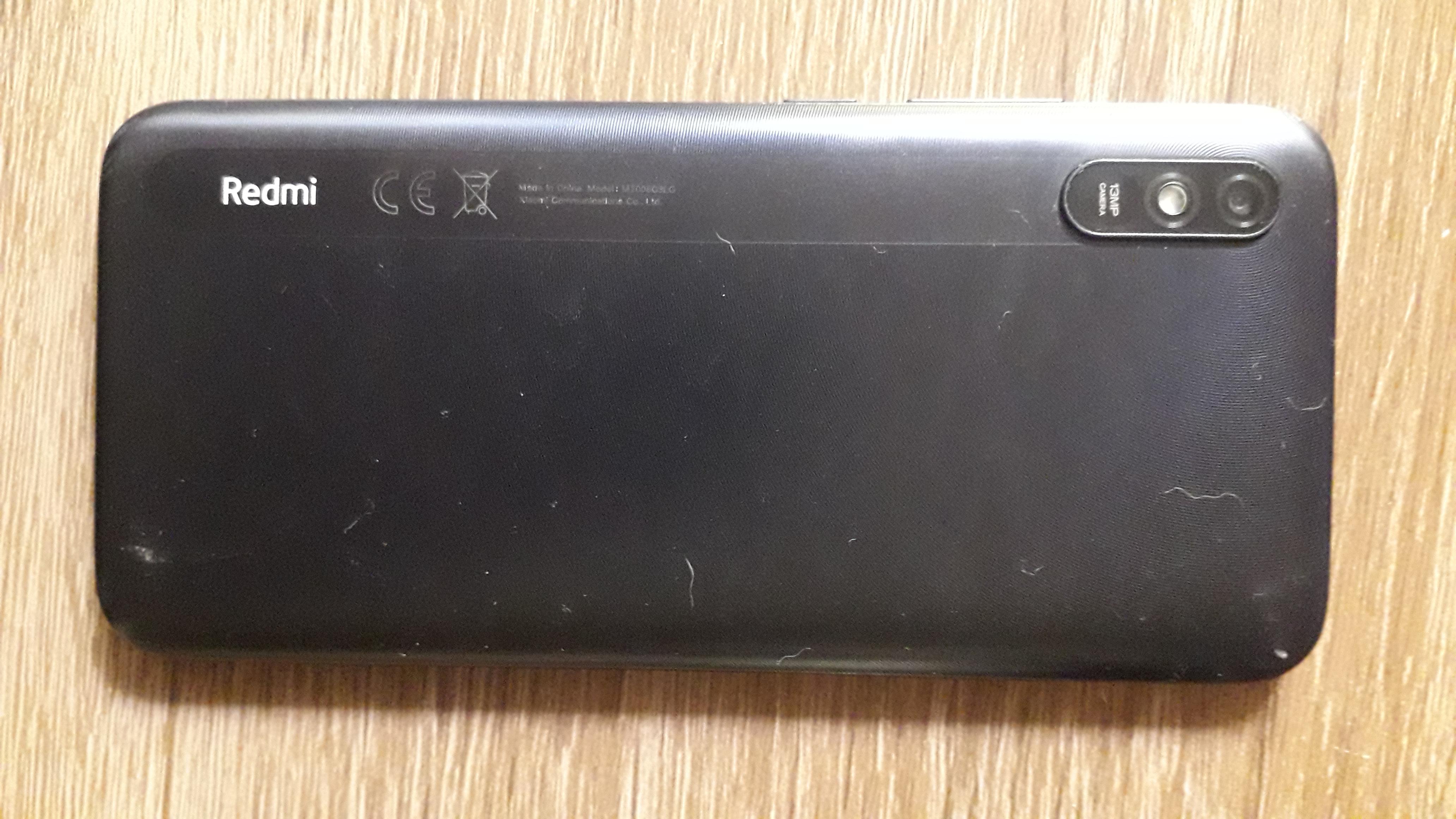
simples, abra o device manager force ele a desligar segurando volume - e power quando ele desliga olhe no device manager se conecta a porta com mtk, caso conecte é Mi Play se nao é Redmi 7 mas acho que é Mi Play...
-
-
25 minutos atrás, alex-thefamily disse:
desativei sim
lembre-se que antes de desativar o mi auth, tem que usar libusb, para digamos crackear a porta mtk....
-
16 horas atrás, alex-thefamily disse:
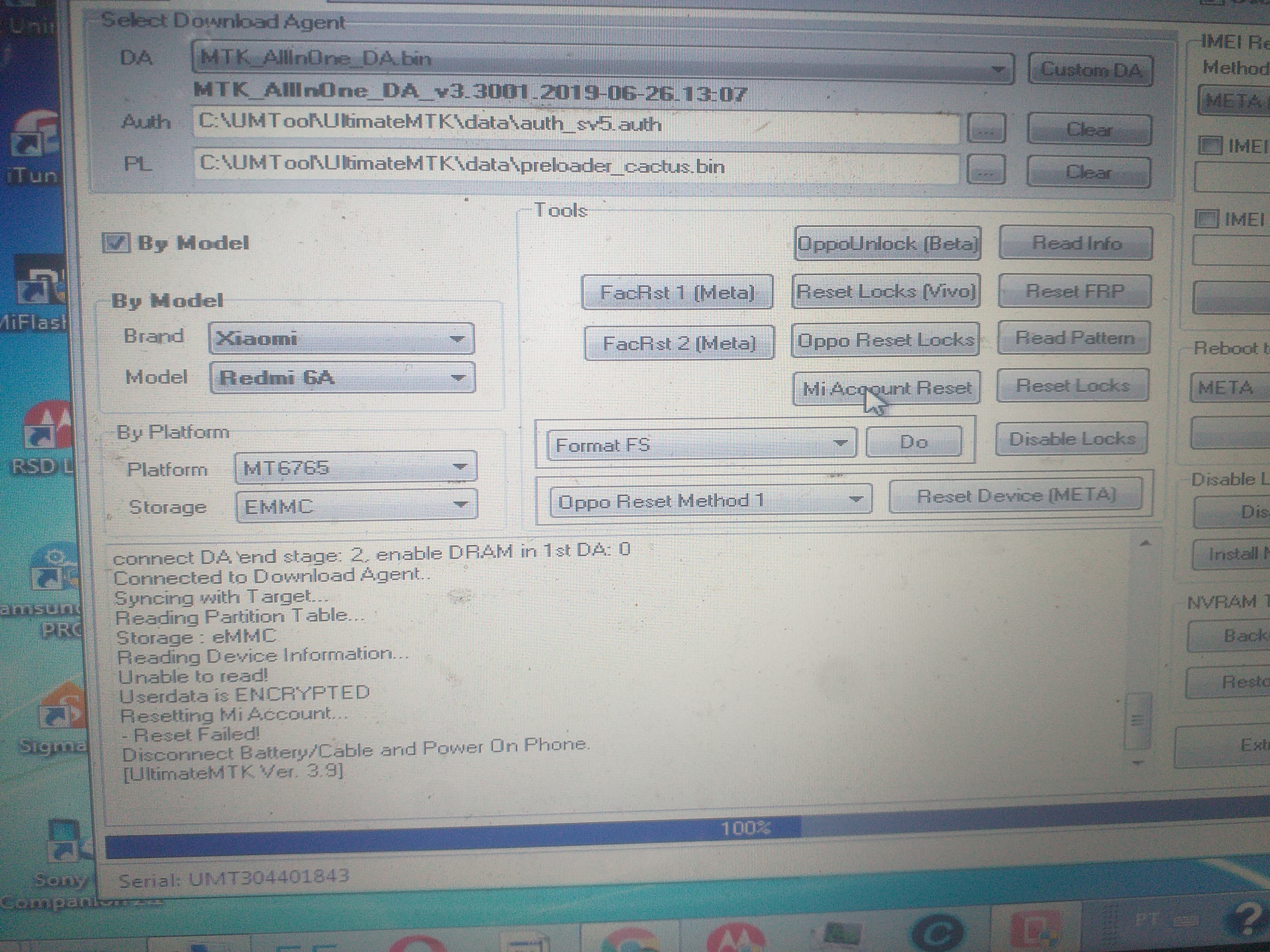
Oi boa tarde a todos estou com esse redmi6A para fazer processo de frp e mi account mas da sempre erro conforme a imagem abaixo e estou precisando de orientação de algum colega que ja tenha tido este tipo de problema desde ja eu agradeço há estou usando a mtk 3.9.
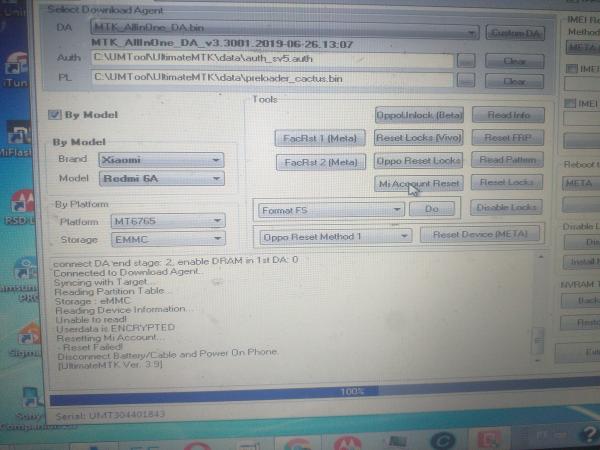
Desativou o Mi Auth?
-
6 horas atrás, acassio123 disse:
Eu também estou com o mesmo problema em 2 aparelhos um Redmi 9 e um Redmi Note 8 os 2 estão sem os imei ja tentei fazer o software pelo MiFlashPro o software passar normal mais o aparelho continua sem os imei tem algum procedimento para restaurar????
sim amigo, o que muitos users nao sabem é que nao precisa fazer root para reparar o imei, galera aqui é preguiçosa e nao procura estudar... ficam vendo video de youtube auhuahua, redmi 9 tem como reparar os imeis, sem box e sem auth...
-
Em 25/01/2021 em 18:04, Gil Peres disse:
Estou com um redmi note 9 sem o número do EMEI, sendo assim não dá p desbloquear o bootloader da forma convencional porque precisa reconhecer a conta pela rede móvel.
E sem bootloader desbloqueado não dá p fazer o root e recolocar o EMEI.
Se alguém souber como por favor me ajude
quem falo que nao da? te digo mais da pra fazer sim e sem uso de box & sem auth...
-
Em 09/02/2021 em 15:30, NarCotiCoS disse:
Algum método para remoção da conta mi cloud do xiaomi mi 9 lite?
tem box amigo?
-
Em 10/02/2021 em 10:50, Compucor Informatica disse:
Fala Galera, alguem pode me ajudar estou com esse smartphone bloqueado na conta MI como nunca fiz esse debloqueio, e os convencionais não estão funcionando, se alguem tiver algum procedimento ele esta no MiUI11, muito obrigado.
Tem alguma box?
-
Em 04/02/2021 em 14:41, Cleverton Matias disse:
Amigos estou com um Xiaomi Mi 9 (M1904F3BG) para desbloqueio de conta Xiaomi parcial, já busquei o arquivo no Clan Soft e não localizei.
Tentei outros sites sem sucesso.
Se tiver a chimera passa a pasta persist ou passa a rom toda que volta sem conta nenhuma, depois tira a conta google pela porta com 9008 e inicia o aparelho sem wifi depois, so olha os tutoriais do bypass do note 8 que funciona nele tbm ( me refiro ao apk que bloqueia a conexão com o servidor da xiaomi)
-
Em 20/01/2021 em 15:31, Diogo SantosS disse:
Agradeço pela ajuda.
Entrei em contato com uns amigos de outras assistencias aqui da cidade vizinha, achei um deles q tem box la e vou ver se ele consegue ver p mim.
Essa Hydra tool faz desbloqueio tb e instalações de snapdragon tb? Pode falar mais sobre ela, pois olhei no Ali e o preço ta ate bacana, ate compensa ter.
Vlwww
Hydra Tool muito boa, mas ela so faz semi-definitivo, nenhuma box ainda faz definitivo vi uns boatos que tem uma que ta fazendo mas enquanto nao testar nao vou me arriscar... alias nem box é, é um programa que se conecta a um servidor de login autorizado...
- Diogo SantosS reagiu a isso
-
 1
1
-
Em 18/01/2021 em 11:58, Diogo SantosS disse:
Bom dia pessoal
Estou com um problema em um celular que vendemos aqui.
Cliente disse que colocou para atualizar aparelho porem acabou a bateria e o mesmo não dava sinal, trouxe para olhar pois ainda esta na garantia.
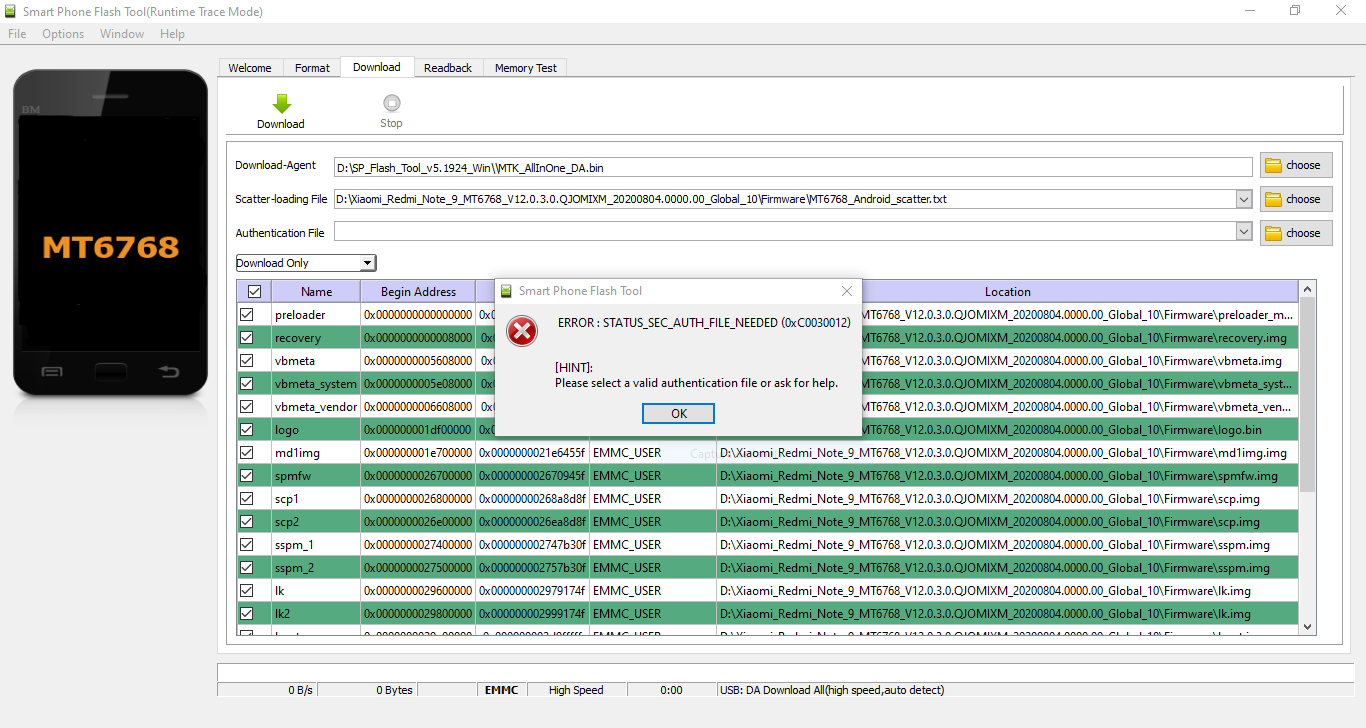
Em testes Aparece que o sistema esta destruido, ai tentei passar a rom pelo SP Flash Tool, mas apresenta um erro de autenticação.
Podem me orientar a dar uma solução para esse problema?
Onde posso encontrar uma rom que funcione com essa autenticação.
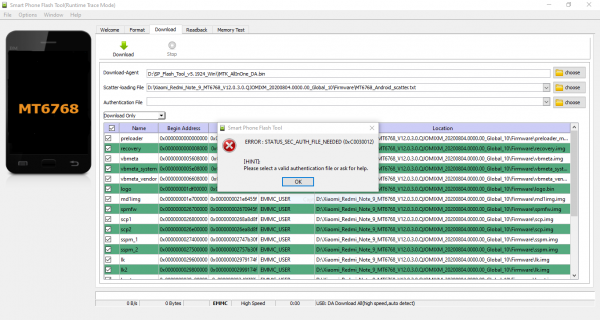
Amigo, procure uma assistencia e faça o serviço, esse modelo so faz flash com conta autentica, ou alguma box, acho que so chimera Ufi e hydra tool ta fazendo...
-
Em 07/01/2021 em 08:21, Janrly Cavalcante disse:
Alguém tem esse procedimento que possa me ajudar ??
possiveis soluções, flash via umt, chimera, hydra & ufi...
caso nao tenha box, terceirize a mao de obra em alguma assistencia que faça reparo de software em xiaomi, outra soluçao é caso o bootloader dele esteja desbloqueado, flashing via fastbooot mode pelo miflash que é totalmente free...
-
-
Em 17/12/2020 em 09:50, rodrigofelipemachado disse:
Poderia explicar como configurar o netpatch firewall.apk?
acho melhor que o drony, no youtube tem varios procedimentos com o apk citado...
pesquise como bypass note 8
caso tenha interesse faço via servidor tbm
-
2 horas atrás, GUGACELL780 disse:
MODELO: M2006C3LG
REDMI 9A
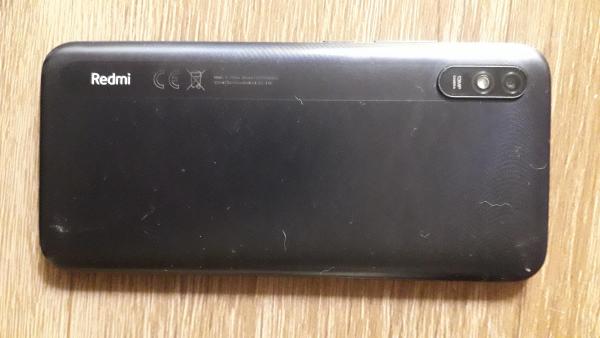
Infelizmente esse modelo não faz test point, processador mediatek...
Precisa de uma conta autorizada para fazer flash.... -
Em 26/11/2020 em 00:45, Felipe Bahir disse:
Fala galera do Clan...
Alguém que já fez desbloqueio de conta Mi e FRP do Redmi Note 8 com os arquivos do ClanSoft via Chimera, e usando o app Drony; já teve o seguinte problema:
Todos que fiz, fluíram numa boa; mas todos os clientes retornam reclamando que a chamada de voz e vídeo via WhatsApp não funciona!
Acabei de fazer um teste com um aqui, e realmente o problema acontece!
Alguém já notou esse problema e sabe como resolver?
Desde já agradeço...
Use o netpatch firewall.apk
todos que fiz ninguem volto...
-
9 horas atrás, Bruno Santana disse:
flash e reset frp free pela umt
flashOperation : Flash
Checking for existing devices...Not Found
Turn Off phone, hold Vol UP + Vol DOWN and insert USB cable.
Some phones may need Special Boot Cable or TestPoint for EDL mode.
Found Port : Qualcomm HS-USB QDLoader 9008 (COM32)
Driver Info : Qualcomm Incorporated, qcusbser.sys, 2.1.2.2
Connecting to phone...OK
Waiting for response...OK
Init Handshake Sequence...OK
Hardware ID : E1F00B00 [8937] 00007200
OPK_DATA : 079E496E26A477B120DFCD85DF7E4AD067164D8292DDD379930D5891E3D8240B
Initializing Protocol...OK
Using Auto Loader Selection [1]
Preparing Loader...Done
Sending Loader [8937_035]...Done
Executing Loader...OK
Auth Enabled Device! You need Mi Auth Account to service!
Requesting UMT Auth Service (FREE)...OK
Detecting Chip Type...OK
Hardware : 8937, eMMC, 32 GB
LU Count : 1 [0x03A3E000]
WARNING! High Speed Driver is not installed.
Please install driver from QcFire\Drivers folder using Device Manager.
Payload Info : In: 65536 [4096], Out: 1048576, Sector Size: 512
Writing [sec.dat] -> [sec] ...Done
Writing [vbmeta.img] -> [vbmeta] ...Done
Writing [vbmeta.img] -> [vbmetabak] ...Done
Writing [devcfg.mbn] -> [devcfg] ...Done
Writing [devcfg.mbn] -> [devcfgbak] ...Done
Writing [dummy.img] -> [apdp] ...Done
Writing [dummy.img] -> [msadp] ...Done
Writing [sbl1.mbn] -> [sbl1] ...Done
Writing [sbl1.mbn] -> [sbl1bak] ...Done
Writing [rpm.mbn] -> [rpm] ...Done
Writing [rpm.mbn] -> [rpmbak] ...Done
Writing [cmnlib_30.mbn] -> [cmnlib] ...Done
Writing [cmnlib_30.mbn] -> [cmnlibbak] ...Done
Writing [cmnlib64_30.mbn] -> [cmnlib64] ...Done
Writing [cmnlib64_30.mbn] -> [cmnlib64bak] ...Done
Writing [km4.mbn] -> [keymaster] ...Done
Writing [km4.mbn] -> [keymasterbak] ...Done
Writing [misc.img] -> [misc] ...Done
Writing [emmc_appsboot.mbn] -> [aboot] ...Done
Writing [emmc_appsboot.mbn] -> [abootbak] ...Done
Writing [tz.mbn] -> [tz] ...Done
Writing [tz.mbn] -> [tzbak] ...Done
Writing [dtbo.img] -> [dtbo] ...Done
Writing [dtbo.img] -> [dtbobak] ...Done
Writing [splash.img] -> [splash] ...Done
Writing [adspso.bin] -> [dsp] ...Done
Writing [adspso.bin] -> [dspbak] ...Done
Writing [persist.img] -> [persist] ...Done
Writing [mdtp.img] -> [mdtp] ...Done
Writing [mdtp.img] -> [mdtpbak] ...Done
Writing [boot.img] -> [boot] ...Done
Writing [recovery.img] -> [recovery] ...Done
Writing [cache.img ] -> [cache]...Done
Writing [NON-HLOS.bin] -> [modem] ...Done
Writing [system.img ] -> [system]...Done
Writing [vendor.img ] -> [vendor]...Done
Writing [cust.img ] -> [cust]...Done
Writing [userdata.img ] -> [userdata]...Done
Writing [gpt_main0.bin] -> [PrimaryGPT] ...Done
Writing [gpt_backup0.bin] -> [BackupGPT] ...Done
Applying Patches................Done
Resetting device...Done
Operation Finished.
QcFire Ver. 6.0reset frp
Operation : Reset FRP
Checking for existing devices...Not Found
Turn Off phone, hold Vol UP + Vol DOWN and insert USB cable.
Some phones may need Special Boot Cable or TestPoint for EDL mode.
Found Port : Qualcomm HS-USB QDLoader 9008 (COM32)
Driver Info : Qualcomm Incorporated, qcusbser.sys, 2.1.2.2
Connecting to phone...OK
Waiting for response...Ignored
Init Handshake Sequence...OK
Hardware ID : E1F00B00 [8937] 00007200
OPK_DATA : 079E496E26A477B120DFCD85DF7E4AD067164D8292DDD379930D5891E3D8240B
Initializing Protocol...OK
Using Auto Loader Selection [1]
Preparing Loader...Done
Sending Loader [8937_035]...Done
Executing Loader...OK
Auth Enabled Device! You need Mi Auth Account to service!
Requesting UMT Auth Service (FREE)...OK
Detecting Chip Type...OK
Hardware : 8937, eMMC, 32 GB
LU Count : 1 [0x03A3E000]
WARNING! High Speed Driver is not installed.
Please install driver from QcFire\Drivers folder using Device Manager.
Payload Info : In: 65536 [4096], Out: 1048576, Sector Size: 512
Reading Partition Table...OK
Reading Device Information...OK
Device : Xiaomi Redmi 8 [olive]
Brand : Xiaomi
Prod.Name : olive
Software : ZQL2115-olive-build-20191019025312, V10.3.4.0.PCNMIXM [Sat Oct 19 02:55:28 CST 2019]
Android Ver. : 9
Patch Level : 2019-09-01
Resetting FRP Lock......Done
Operation Finished.
QcFire Ver. 6.0reset mi acc
Operation : Reset Mi Account
Checking for existing devices...Not Found
Turn Off phone, hold Vol UP + Vol DOWN and insert USB cable.
Some phones may need Special Boot Cable or TestPoint for EDL mode.
Found Port : Qualcomm HS-USB QDLoader 9008 (COM32)
Driver Info : Qualcomm Incorporated, qcusbser.sys, 2.1.2.2
Connecting to phone...OK
Waiting for response...Ignored
Init Handshake Sequence...OK
Hardware ID : E1F00B00 [8937] 00007200
OPK_DATA : 079E496E26A477B120DFCD85DF7E4AD067164D8292DDD379930D5891E3D8240B
Initializing Protocol...OK
Using Auto Loader Selection [1]
Preparing Loader...Done
Sending Loader [8937_035]...Done
Executing Loader...OK
Auth Enabled Device! You need Mi Auth Account to service!
Requesting UMT Auth Service (FREE)...OK
Detecting Chip Type...OK
Hardware : 8937, eMMC, 32 GB
LU Count : 1 [0x03A3E000]
WARNING! High Speed Driver is not installed.
Please install driver from QcFire\Drivers folder using Device Manager.
Payload Info : In: 65536 [4096], Out: 1048576, Sector Size: 512
Reading Partition Table...OK
Reading Device Information...OK
Device : Xiaomi Redmi 8 [olive]
Brand : Xiaomi
Prod.Name : olive
Software : ZQL2115-olive-build-20191019025312, V10.3.4.0.PCNMIXM [Sat Oct 19 02:55:28 CST 2019]
Android Ver. : 9
Patch Level : 2019-09-01
Resetting Mi Account Data...Done
Preparing Data...Done
Formatting Userdata...Done
When phone is completely ON, connect to Internet and add Mi Account.
-------------- INFORMATION --------------
New Firmware may cause hang on logo.
In such case, you need to flash phone to recover.
Or downgrade firmware and try Reset Mi Account again.
Operation Finished.
QcFire Ver. 6.0Vi agora que teve add na UMT no modulo QC Fire pelo visto funciona, show!!!
-
9 horas atrás, Jay PI disse:
Comigo os créditos da umt, nunca funcionaram.
Operation : Multi Flash
Checking for existing devices...Not Found
Turn Off phone, hold Vol UP + Vol DOWN and insert USB cable.
Some phones may need Special Boot Cable or TestPoint for EDL mode.
Found Port : Quectel QDLoader 9008 (COM44)
Driver Info : Quectel Incorporated, qcusbser.sys, 5.0.1.5
Connecting to phone...OK
Waiting for response...OK
Init Handshake Sequence...OK
Hardware ID : E1600E00 [E1600E00] 00007200
OPK_DATA : 4B60244704D721E5B96DD5BB7233886E38F2198FBDE6433FCE1D25A7B0472DD7
Initializing Protocol...OK
Sending Loader [prog_ufs_firehose_sm7150_ddr.elf]...Done
Executing Loader...OK
Auth Enabled Device! You need Mi Auth Account to service!
Reading Auth Blob...OK
Blob : NDE1MTQxNDE0MTQ3MzA0MjQxNDE0MTMyNzU2RDZFNDk3Mjc1NkY2MzRDNjg1NjZFMzI3NjQzNTE2RjQ0MzM1QTczNEI2NjY5NTg0MT==
Requesting UMT Server for Auth Data...OK
Credits Left: 10
Authenticating...OK
Detecting Chip Type...OK
Using Alternate Method...
Hardware : E1600E00, UFS, 256 GB
LU Count : 6 [0x03B48800] [0x00000800] [0x00000800] [0x00002000] [0x00040000] [0x0000A000]
WARNING! High Speed Driver is not installed.
Please install driver from QcFire\Drivers folder using Device Manager.
Payload Info : In: 65536 [65536], Out: 1048576, Sector Size: 4096
Processing [rawprogram0.xml]
Writing [dummy.img] -> [switch] ...Done
Writing [imagefv.elf] -> [imagefv] ...Done
Writing [misc.img] -> [misc] ...Done
Writing [logfs_ufs_8mb.bin] -> [logfs] ...Done
Writing [vendor.img ] -> [vendor]...Done
Writing [system.img ] -> [system]...Done
Writing [recovery.img] -> [recovery] ...Done
Writing [cache.img ] -> [cache]...Done
Writing [cust.img ] -> [cust]...Done
Writing [userdata.img ] -> [userdata]...Done
Writing [gpt_main0.bin] -> [PrimaryGPT] ...Done
Writing [gpt_backup0.bin] -> [BackupGPT] ...Done
Applying Patches................Done
Processing [rawprogram1.xml]
Writing [xbl_config.elf] -> [xbl_config] ...Done
Writing [xbl.elf] -> [xbl] ...Done
Writing [gpt_main1.bin] -> [PrimaryGPT] ...Done
Writing [gpt_backup1.bin] -> [BackupGPT] ...Done
Applying Patches................Done
Processing [rawprogram2.xml]
Writing [xbl_config.elf] -> [xbl_configbak] ...Done
Writing [xbl.elf] -> [xblbak] ...Done
Writing [gpt_main2.bin] -> [PrimaryGPT] ...Done
Writing [gpt_backup2.bin] -> [BackupGPT] ...Done
Applying Patches................Done
Processing [rawprogram3.xml]
Writing [gpt_main3.bin] -> [PrimaryGPT] ...Done
Writing [gpt_backup3.bin] -> [BackupGPT] ...Done
Applying Patches................Done
Processing [rawprogram4.xml]
Writing [multi_image.mbn] -> [multiimgoem] ...Done
Writing [qupv3fw.elf] -> [qupfw] ...Done
Writing [qupv3fw.elf] -> [qupfwbak] ...Done
Writing [vbmeta.img] -> [vbmeta] ...Done
Writing [storsec.mbn] -> [storsec] ...Done
Writing [devcfg.mbn] -> [devcfg] ...Done
Writing [devcfg.mbn] -> [devcfgbak] ...Done
Writing [aop.mbn] -> [aop] ...Done
Writing [aop.mbn] -> [aopbak] ...Done
Writing [cmnlib.mbn] -> [cmnlib] ...Done
Writing [cmnlib.mbn] -> [cmnlibbak] ...Done
Writing [cmnlib64.mbn] -> [cmnlib64] ...Done
Writing [cmnlib64.mbn] -> [cmnlib64bak] ...Done
Writing [km4.mbn] -> [keymaster] ...Done
Writing [km4.mbn] -> [keymasterbak] ...Done
Writing [BTFM.bin] -> [bluetooth] ...Done
Writing [uefi_sec.mbn] -> [uefisecapp] ...Done
Writing [uefi_sec.mbn] -> [uefisecappbak] ...Done
Writing [abl.elf] -> [abl] ...Done
Writing [abl.elf] -> [ablbak] ...Done
Writing [tz.mbn] -> [tz] ...Done
Writing [tz.mbn] -> [tzbak] ...Done
Writing [hyp.mbn] -> [hyp] ...Done
Writing [hyp.mbn] -> [hypbak] ...Done
Writing [dtbo.img] -> [dtbo] ...Done
Writing [logo.img] -> [logo] ...Done
Writing [dspso.bin] -> [dsp] ...Done
Writing [boot.img] -> [boot] ...Done
Writing [NON-HLOS.bin] -> [modem] ...Done
Writing [gpt_main4.bin] -> [PrimaryGPT] ...Done
Writing [gpt_backup4.bin] -> [BackupGPT] ...Done
Applying Patches................Done
Processing [rawprogram5.xml]
Writing [persist.img] -> [persist] ...Done
Writing [gpt_main5.bin] -> [PrimaryGPT] ...Done
Writing [gpt_backup5.bin] -> [BackupGPT] ...Done
Applying Patches................Done
Resetting device...Done
Operation Finished.
Funciona amigão, porem tem que ficar testando nunca se sabe quando o server ta online a cada uma hora eu tento nao importa a hora nem o dia na sexta feira, usei o servidor da UMT e funcionou perfeitamente depois de varias tentativas, conseguir fazer flashing em um Mi Note 10 Pro brickado...
segunda feira vou coloca 20 credits se der certo aviso aqui... -
3 minutos atrás, Sérgio rey disse:
Com certeza formatando ou em outro pc vai dar, porem não posso formatar pois estou com muita informação dentro do pc, preciso de uma solução que não seja esta.
Dependendo do tamanho do seu hd particione e faça outra formataçao e faça o proedimento!!!
-
17 horas atrás, Sérgio rey disse:
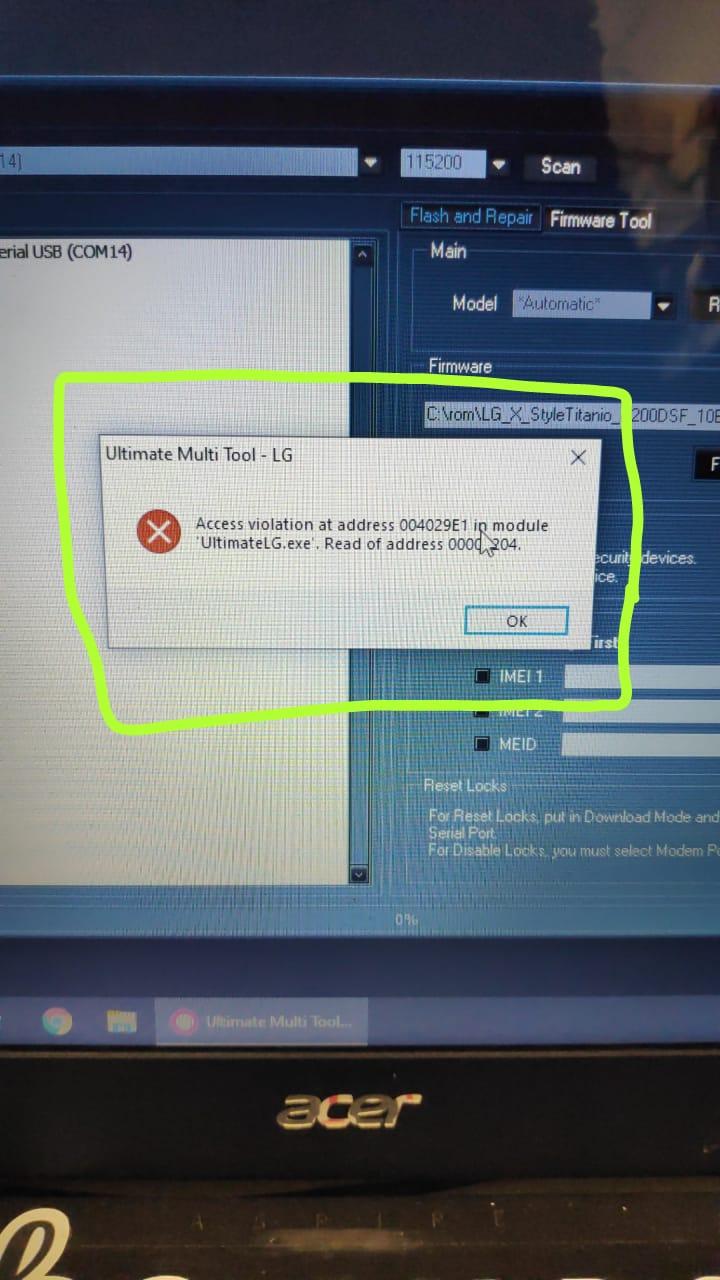
Estou tendo problemas com a UMT, da esta mensagem assim que eu clico no WRITE para passar a rom no aparelho.
Foto anexada.
Alguem sabe resolver?
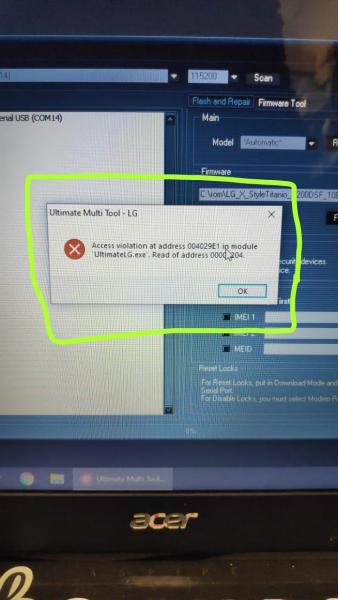
Acredito algum arquivo da UMT corrompeu ou esta em conflito com algo do windows teste em outro pc ou formate, acredito que em outro pc funcione pq ja passei por isso testei no pc da loja e foi
-
2 minutos atrás, Ary Braga disse:
Somente via Chimera como Jay PI citou.
Obrigado pela ajuda, mesmo assim vou tentar hahahaha
-
10 horas atrás, Jay PI disse:
Somente via chimera.
Via UMT usando o UMT Auth Server funciona?
-
55 minutos atrás, Jay PI disse:
Mas eu não entendi o que mudou, esse procedimento é o mesmo do Binário 6 e 7.
Veja com calma fera!
No binário 7 você marca a opção "marcar janelas" e aparece as opções de senha...
No binário 8 da até para marcar a opção "marcar janelas" mas não acontece nada...
Daí em diante veja lá o que fiz...

hard reset xiaomi e ficou na tela inicial
em SOFTWARE E DESBLOQUEIOS
Postado
Me mande uma mp com seu contato do zap...